


A simple branching dialogue editor and stateless runtime.Create your dialogue right in the Godot Editor itself with a simple script-like language and the built-in syntax checker.Then, in your game, use the DialogueManager global to fetch lines of dialogue. There is an example dialogue balloon to help get you started on creating your own to fit in better with your game.
Control / Input / Action re-binding
An asset by jarlowrey
Quick Information

Control / Input / Action re-binding
Automagically add rebinding to your game for all your custom actions. Gimme a GitHub star if you like it ;-)Written in C#! Currently there is no GDScript version (but feel free to submit a PR!).
Supported Engine Version
3.2
Version String
1.0
Support Level
community
Modified Date
5 years ago
Git URL
Issue URL
Godot Action Binding
To test, simply download and run in Godot

About
This repo makes input/control/key/action rebinding a simple drag+drop into Godot C# projects (with some optional configuration).
How to use
- Drag the ActionBinding folder into your project
- Place the ActionBindingMenu.tscn scene into one of your scenes
- Add your actions+bindings to your project setting's InputMap (through the Godot Editor)
- In ActionBindingMenu.cs, edit the ReassignableActions dictionary to only include the actions you want the user to be able to re-assign. Edit the save file path too if you like
- IMPORTANT: In ControlRebindingInput.cs, edit the RES_PATH to match where you dropped ControlRebindingInput.tscn into your project
- IMPORTANT: This repo relies on the Newtonsoft.Json nuget package. If you are missing Newtonsoft.Json in your Godot project, install it via
dotnet add package Newtonsoft.Json --version 12.0.3 - Run!
- Update
EventSimpleText(InputEvent e)in ActionBindingMenu.cs to change the control's text output
License
MIT
Automagically add rebinding to your game for all your custom actions. Gimme a GitHub star if you like it ;-) Written in C#! Currently there is no GDScript version (but feel free to submit a PR!).
Reviews
0 total reviews
Quick Information
Control / Input / Action re-binding
Automagically add rebinding to your game for all your custom actions. Gimme a GitHub star if you like it ;-)Written in C#! Currently there is no GDScript version (but feel free to submit a PR!).
Supported Engine Version
3.2
Version String
1.0
Support Level
community
Modified Date
5 years ago
Git URL
Issue URL
Related Assets
More in Tools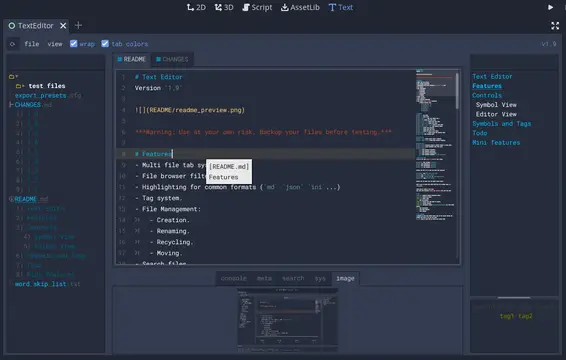

A text editor with many features:- Table of contents.- Tag filtering.- Comment toggling for .md .yaml .json .ini .cfg.- Directory colors.- And tons of Quality of Life features.
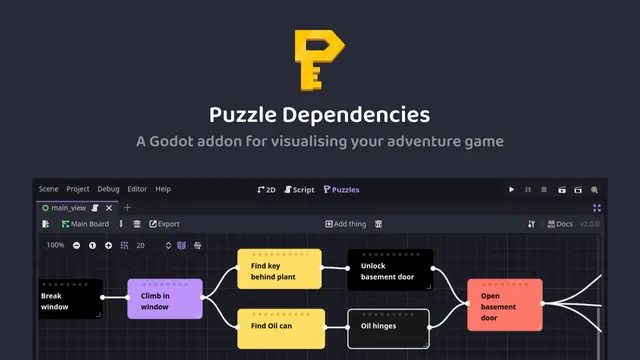

A tool for building puzzle dependency charts to help visualise and map out your adventure game puzzles.


A routeable HTTP server for Godot.