


A simple branching dialogue editor and stateless runtime.Create your dialogue right in the Godot Editor itself with a simple script-like language and the built-in syntax checker.Then, in your game, use the DialogueManager global to fetch lines of dialogue. There is an example dialogue balloon to help get you started on creating your own to fit in better with your game.
Developer Console (Godot 3.x Version)
An asset by jitspoe
Quick Information

Developer Console (Godot 3.x Version)
A simple console toggled with the ~ key that lets you quickly test features in your game, as seen in games like Quake.Example:func _ready(): Console.add_command("map", self, "load_level", 1)func load_level(level_name : String): # Do your level loading stuff here
Supported Engine Version
3.1
Version String
1.1
Support Level
community
Modified Date
11 months ago
Git URL
Issue URL
godot-console
Dev console addon for Godot engine.
Simply drop the addons directory into your godot project, go to the project settings, plugins, and enable "Console".
After you've done that, you can add console commands from any class.
Example:
func _ready():
  Console.add_command("hello", self, "my_hello_function")

func my_hello_function():
  Console.print_line("Hello, world!")
You can also specify up to 3 parameters, which will be passed in as strings:
  Console.add_command("param_test", self, "param_test_function", 1) # 1 specifies 1 parameter

func param_test_function(param1 : String):
  Console.print_line("Param passed in: %s" % param1)
The "quit"/"exit" command is implemented by default.
A simple console toggled with the ~ key that lets you quickly test features in your game, as seen in games like Quake. Example: func _ready(): Console.add_command("map", self, "load_level", 1) func load_level(level_name : String): # Do your level loading stuff here
Reviews
0 total reviews
Quick Information
Developer Console (Godot 3.x Version)
A simple console toggled with the ~ key that lets you quickly test features in your game, as seen in games like Quake.Example:func _ready(): Console.add_command("map", self, "load_level", 1)func load_level(level_name : String): # Do your level loading stuff here
Supported Engine Version
3.1
Version String
1.1
Support Level
community
Modified Date
11 months ago
Git URL
Issue URL
Related Assets
More in Tools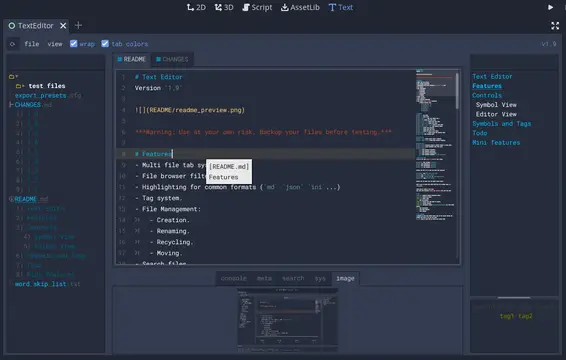

A text editor with many features:- Table of contents.- Tag filtering.- Comment toggling for .md .yaml .json .ini .cfg.- Directory colors.- And tons of Quality of Life features.
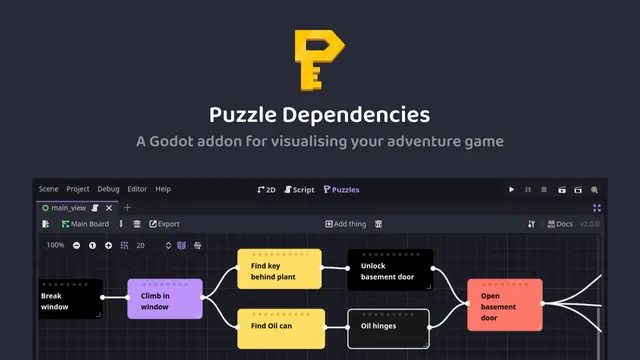

A tool for building puzzle dependency charts to help visualise and map out your adventure game puzzles.


A routeable HTTP server for Godot.