



A simple branching dialogue editor and stateless runtime.Create your dialogue right in the Godot Editor itself with a simple script-like language and the built-in syntax checker.Then, in your game, use the DialogueManager global to fetch lines of dialogue. There is an example dialogue balloon to help get you started on creating your own to fit in better with your game.
Gopotify - Spotify Client
An asset by drarbego
Quick Information

Gopotify - Spotify Client
This is a wrapper for the Spotify REST API
Supported Engine Version
3.5
Version String
1.0.0
Support Level
community
Modified Date
3 years ago
Git URL
Issue URL
Gopotify - A spotify client for Godot Engine
Connect to Spotify
- Go to your Spotify Dashboard
- Click on create an app, now you'll be able to see your
Client IdandClient Secret - Click on
EDIT SETTINGS - Add
http://localhost:{port}/callbackto theRedirect URIsfield, the default port is8889 - Click on
SAVE
Use the client
After installing the plugin you'll find a new node called Gopotify
- Add a
Gopotifynode to your scene - Select the
Gopotifynode and in the inspector paste theClient IdandClient Secretin their respective inputs underScript Variables
Implemented Functionality
| Function | Description |
|---|---|
| play() | Resumes music reproduction in the current active device |
| pause() | Pauses music reproduction in the current active device |
| next() | Skips to next song |
| previous() | Returns to previous song |
| get_player_state() | Returns an object with the player state as a raw json |
This is a wrapper for the Spotify REST API
Reviews
0 total reviews
Quick Information
Gopotify - Spotify Client
This is a wrapper for the Spotify REST API
Supported Engine Version
3.5
Version String
1.0.0
Support Level
community
Modified Date
3 years ago
Git URL
Issue URL
Related Assets
More in Tools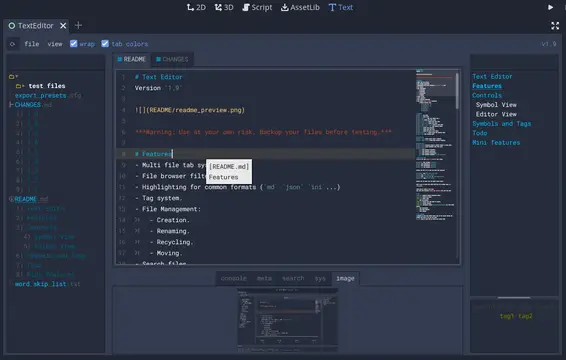

A text editor with many features:- Table of contents.- Tag filtering.- Comment toggling for .md .yaml .json .ini .cfg.- Directory colors.- And tons of Quality of Life features.
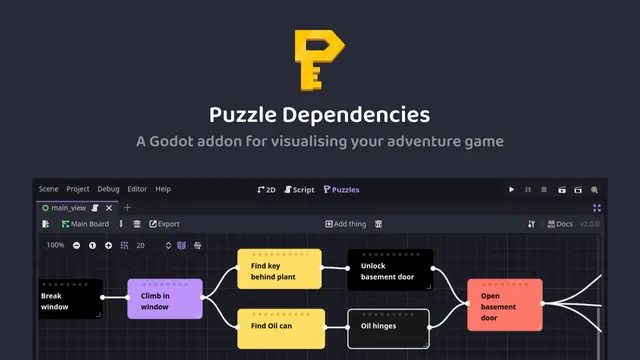

A tool for building puzzle dependency charts to help visualise and map out your adventure game puzzles.


A routeable HTTP server for Godot.