


A smooth, feature-rich top-down camera plugin for Godot.Effortlessly pan and zoom your 2D game scenes with intuitive controls and configurable boundaries.Ideal for strategy and simulation games, with camera controls inspired by titles like Hearts of Iron and Stacklands.Main Features- Smooth Cursor-Centric Zoom & PanSeamlessly zoom in and out towards the mouse cursor, with smooth camera movement and interpolation for a polished feel.- Visual Boundary ConfigurationEasily set and visualize camera movement limits in the editor.- Edge ScrollingAutomatically pan the camera when the mouse approaches the screen edges.- Keyboard ControlMove the camera with keyboard input.
Godot Dice Roller (UI Control)
An asset by vokimon
Quick Information

Godot Dice Roller (UI Control)
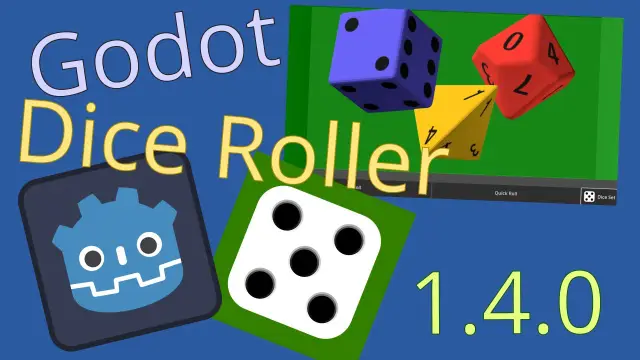
# godot-dice-rollerA Godot UI control that rolls 3D dices in a box.## Features* Configurable setup: - Dynamic set of dices including d4, d6, d8, d10, d10x10, d12, d20 - Easy dice customization (color, shapes, engraving, material...) - Configurable rolling box size and color* 3 ways to roll: - Physics emulated rolling (slow but cool) - Turn to random generated values (faster but unrealistic) - Turn to given values (useful when the actual rolling is done remotely)* Easy to integrate in your code: - Trigger rolling interactivelly o programmatically - A signal notifies after the rolling - Obtain results for individual dices or add up.* Responsive to layouts: - The control adapts to the available space given by the layout - Whichever the resulting size, the camera adapts the zoom to fully see the rolling box floor - Automatically rotates the rolling box if the control aspect ratio is inverse to the one of the boxDocumentation: https://github.com/vokimon/godot-dice-roller/blob/main/docs# Changelog## 1.5.3 (2025-07-09)- Preset preview when loading presets- Preset preview when saving a preset- Delete an existing preset- Responsive dialogs (diceset editor, loader...)- Published Linux and Windows binaries missed the PCK- Example: crash on empty diceset- Example: added splash screen- Bigger diceset button- fdroid requires fastlane data to be committed## 1.5.2 (2025-07-05)- Changes to enable F-Droid release- Updated screenshots- Unify and cleanup binary export and deploy workflow- Remove `ssh_export` options in pressets- Removed most print traces## 1.5.1 (2025-06-22)- Using slightly absorvent dice material to avoid prolonged wobbling- Misaligned 11 face in d12- Dices cast shadows, lights adjusted- Class icon for Poker dice- Automated builds for Android, Windows, Linux and Web- Automated uploads to github and itch.io## 1.5.0 (2025-06-05)- Bump to Godot 4.4: Using Jolt physics and damn uuid- Simpler and documented way to add and customize dices. Adresses #02.- New dices: d8, d12- New skined d6: Poker dice (in the example)- Example app: loading and saving dice sets- Example app: roller box adapts its size to the number of dices- BREAKING: DiceDef.sides -> 'DiceDefshape' - 'sides' (int) -> 'shape' (DiceShape: D6, D10, D10x10) - Legacy DiceDefs automagically migrated after load and save- DiceShape icons shown in Property Editor- Unified d10 text font with the one used in other dices- Import d10 and d10x10 as glb and not as blend. Not requiring blender installed. Fixes #01.- Unit tests. Setup CI and notifications.- WIP: FDroid metadata generation## 1.4.0 (2025-02-10)- New dice: d20- New dice: d10x10- `interactive` flag to enable/disable roll on click- Expose in control the `show_faces` method to represent external rolls- Control icon clearer without outline and bigger dices- Improved documentation (README and reference)## 1.3.0 (2025-01-28)- New dice: d10- d4: proper shape for the highlight- Android support- Example scene, now available as Android App- Generate F-Droid metadata## 1.2.1 (2025-01-07)- Example: Full dice set editor: Add, Remove, Edit- d4 and d6 code mostly merged## 1.2.0 (2025-01-06)- New dice: d4- Beveled borders for d6- Generalization to favor inclusion of more shapes of dices## 1.1.1 (2025-01-03)- Cleaner installs- screenshots and build files excluded from package- examples moved to `examples/dice_roller/` for cleaner merge in user's project along with other plugins.## 1.1.0 (2024-12-23)- API stabilized. From now on, api changes will imply major and minor version changes following semantic versioning.- Highlights without artifacts- New script to upload to the asset lib using project metadata## 1.0.5 (2024-12-19)- DiceRollerControl can be created without instantiating the scene, just by creating selecting the node type.- Expose roller attributes in Control (box size and color)- Method `per_dice_result` returns the value of each dice- Example: New button to add dices interactivelly- Added Environment with ambient light for more natural look- Fix: rolling after fastrolling kept the highlight- Fix: avoid changing the dice set while rolling- Removed non essential files from the package## 1.0.4 (2024-12-13)- More natural initial arrangement of dices- `DiceRollerControl` signal `roll_started`- `DiceRollerControl` method `quick_rolling`- Example updated to show how to use them- Scenes cleanup of uneeded properties- Packaging: Added previews and fixed name to match## 1.0.3 (2024-12-11)- Dices set can be defined with control properties- Dices are auto-named if no name given or the name conflicts with other dices- Lights adjustments.- Fix: Dice colors looked as dark as far they were from yellow. Svg texture was loaded with a yellow background. Using png export instead.- Fix: Dice highlight position degradated with each roll. Floor offset was not properly oriented and accomulated.- Fix: Freeze when when quick rolling a set bigger than two.## 1.0.2 (2024-12-02)- CI to release from github actions- Icon and classname for RollerBox## 1.0.1 (2024-12-02)- Example out of the addon- Documentation and metadata## 1.0.0 (2024-12-02)- First public release- Extracted from godatan project- Reorganized object responsability- Code distributed into a folder per scene- Roller box can be resized- Generated collision shapes to enable dinamic- Set camera so that the viewport adjust the floor of the box- Rotate the camera so that box and viewport matches portrait/landscape orientation- Added an example of usage within a UI- Debug tools
Supported Engine Version
4.4
Version String
1.5.3
Support Level
community
Modified Date
1 year ago
Git URL
Issue URL
godot-dice-roller
A Godot UI control that rolls 3D dices in a box.

Features
Configurable setup:
- Dynamic set of dices: d4, d6 and d10
- Custom colors for each dice
- Configurable box size and color
3 ways to roll:
- Physics based dice rolling (slow but cool)
- Turning dices to a computer generated random value (faster but unnatural)
- Turning dices to a given value (useful when the actual rolling is done remotely)
Easy to integrate in your code:
- Trigger rolling programmatically from buttons or shortcuts
- A signal notifies after the rolling
- Obtain results for individual dices or add up.
Responsive to layouts:
- The control adapts to the available space given by the layout
- Whichever the resulting size, the camera adapts the zoom to fully see the rolling box floor
- Automatically rotates the rolling box if the control aspect ratio is inverse to the one of the box
Usage
- Install the addon in your project from the AssetLib
- Exclude files outside
addons/to avoid conflicts
- Exclude files outside
- Enable the plugin in the project settings
- Insert a
DiceRollerControlas part of your UI- Depending on the layout you might want to set a minimum control size
- Setup the dice set attribute with some dices
- You might want to adapt the box size to the number of dices to avoid rolls impossible to fit in
- Trigger a roll by calling
roll()method on the control.- Alternativelly, use the `quick_roll() to skip physics simulation
- Also you may enable the
interactiveflag to roll on click or quickroll on right-click
- Connect the
rollFinished(value)to your code- Use the incoming value from the signal as the added value or use the
result()method - You can also use the
per_dice_result()to get individual values for each dice
- Use the incoming value from the signal as the added value or use the
- You can emulate external rolls with
show_faces(result)


# godot-dice-roller A Godot UI control that rolls 3D dices in a box. ## Features * Configurable setup: - Dynamic set of dices including d4, d6, d8, d10, d10x10, d12, d20 - Easy dice customization (color, shapes, engraving, material...) - Configurable rolling box size and color * 3 ways to roll: - Physics emulated rolling (slow but cool) - Turn to random generated values (faster but unrealistic) - Turn to given values (useful when the actual rolling is done remotely) * Easy to integrate in your code: - Trigger rolling interactivelly o programmatically - A signal notifies after the rolling - Obtain results for individual dices or add up. * Responsive to layouts: - The control adapts to the available space given by the layout - Whichever the resulting size, the camera adapts the zoom to fully see the rolling box floor - Automatically rotates the rolling box if the control aspect ratio is inverse to the one of the box Documentation: https://github.com/vokimon/godot-dice-roller/blob/main/docs # Changelog ## 1.5.3 (2025-07-09) - Preset preview when loading presets - Preset preview when saving a preset - Delete an existing preset - Responsive dialogs (diceset editor, loader...) - Published Linux and Windows binaries missed the PCK - Example: crash on empty diceset - Example: added splash screen - Bigger diceset button - fdroid requires fastlane data to be committed ## 1.5.2 (2025-07-05) - Changes to enable F-Droid release - Updated screenshots - Unify and cleanup binary export and deploy workflow - Remove `ssh_export` options in pressets - Removed most print traces ## 1.5.1 (2025-06-22) - Using slightly absorvent dice material to avoid prolonged wobbling - Misaligned 11 face in d12 - Dices cast shadows, lights adjusted - Class icon for Poker dice - Automated builds for Android, Windows, Linux and Web - Automated uploads to github and itch.io ## 1.5.0 (2025-06-05) - Bump to Godot 4.4: Using Jolt physics and damn uuid - Simpler and documented way to add and customize dices. Adresses #02. - New dices: d8, d12 - New skined d6: Poker dice (in the example) - Example app: loading and saving dice sets - Example app: roller box adapts its size to the number of dices - BREAKING: DiceDef.sides -> 'DiceDefshape' - 'sides' (int) -> 'shape' (DiceShape: D6, D10, D10x10) - Legacy DiceDefs automagically migrated after load and save - DiceShape icons shown in Property Editor - Unified d10 text font with the one used in other dices - Import d10 and d10x10 as glb and not as blend. Not requiring blender installed. Fixes #01. - Unit tests. Setup CI and notifications. - WIP: FDroid metadata generation ## 1.4.0 (2025-02-10) - New dice: d20 - New dice: d10x10 - `interactive` flag to enable/disable roll on click - Expose in control the `show_faces` method to represent external rolls - Control icon clearer without outline and bigger dices - Improved documentation (README and reference) ## 1.3.0 (2025-01-28) - New dice: d10 - d4: proper shape for the highlight - Android support - Example scene, now available as Android App - Generate F-Droid metadata ## 1.2.1 (2025-01-07) - Example: Full dice set editor: Add, Remove, Edit - d4 and d6 code mostly merged ## 1.2.0 (2025-01-06) - New dice: d4 - Beveled borders for d6 - Generalization to favor inclusion of more shapes of dices ## 1.1.1 (2025-01-03) - Cleaner installs - screenshots and build files excluded from package - examples moved to `examples/dice_roller/` for cleaner merge in user's project along with other plugins. ## 1.1.0 (2024-12-23) - API stabilized. From now on, api changes will imply major and minor version changes following semantic versioning. - Highlights without artifacts - New script to upload to the asset lib using project metadata ## 1.0.5 (2024-12-19) - DiceRollerControl can be created without instantiating the scene, just by creating selecting the node type. - Expose roller attributes in Control (box size and color) - Method `per_dice_result` returns the value of each dice - Example: New button to add dices interactivelly - Added Environment with ambient light for more natural look - Fix: rolling after fastrolling kept the highlight - Fix: avoid changing the dice set while rolling - Removed non essential files from the package ## 1.0.4 (2024-12-13) - More natural initial arrangement of dices - `DiceRollerControl` signal `roll_started` - `DiceRollerControl` method `quick_rolling` - Example updated to show how to use them - Scenes cleanup of uneeded properties - Packaging: Added previews and fixed name to match ## 1.0.3 (2024-12-11) - Dices set can be defined with control properties - Dices are auto-named if no name given or the name conflicts with other dices - Lights adjustments. - Fix: Dice colors looked as dark as far they were from yellow. Svg texture was loaded with a yellow background. Using png export instead. - Fix: Dice highlight position degradated with each roll. Floor offset was not properly oriented and accomulated. - Fix: Freeze when when quick rolling a set bigger than two. ## 1.0.2 (2024-12-02) - CI to release from github actions - Icon and classname for RollerBox ## 1.0.1 (2024-12-02) - Example out of the addon - Documentation and metadata ## 1.0.0 (2024-12-02) - First public release - Extracted from godatan project - Reorganized object responsability - Code distributed into a folder per scene - Roller box can be resized - Generated collision shapes to enable dinamic - Set camera so that the viewport adjust the floor of the box - Rotate the camera so that box and viewport matches portrait/landscape orientation - Added an example of usage within a UI - Debug tools
Reviews
0 total reviews
Quick Information
Godot Dice Roller (UI Control)
# godot-dice-rollerA Godot UI control that rolls 3D dices in a box.## Features* Configurable setup: - Dynamic set of dices including d4, d6, d8, d10, d10x10, d12, d20 - Easy dice customization (color, shapes, engraving, material...) - Configurable rolling box size and color* 3 ways to roll: - Physics emulated rolling (slow but cool) - Turn to random generated values (faster but unrealistic) - Turn to given values (useful when the actual rolling is done remotely)* Easy to integrate in your code: - Trigger rolling interactivelly o programmatically - A signal notifies after the rolling - Obtain results for individual dices or add up.* Responsive to layouts: - The control adapts to the available space given by the layout - Whichever the resulting size, the camera adapts the zoom to fully see the rolling box floor - Automatically rotates the rolling box if the control aspect ratio is inverse to the one of the boxDocumentation: https://github.com/vokimon/godot-dice-roller/blob/main/docs# Changelog## 1.5.3 (2025-07-09)- Preset preview when loading presets- Preset preview when saving a preset- Delete an existing preset- Responsive dialogs (diceset editor, loader...)- Published Linux and Windows binaries missed the PCK- Example: crash on empty diceset- Example: added splash screen- Bigger diceset button- fdroid requires fastlane data to be committed## 1.5.2 (2025-07-05)- Changes to enable F-Droid release- Updated screenshots- Unify and cleanup binary export and deploy workflow- Remove `ssh_export` options in pressets- Removed most print traces## 1.5.1 (2025-06-22)- Using slightly absorvent dice material to avoid prolonged wobbling- Misaligned 11 face in d12- Dices cast shadows, lights adjusted- Class icon for Poker dice- Automated builds for Android, Windows, Linux and Web- Automated uploads to github and itch.io## 1.5.0 (2025-06-05)- Bump to Godot 4.4: Using Jolt physics and damn uuid- Simpler and documented way to add and customize dices. Adresses #02.- New dices: d8, d12- New skined d6: Poker dice (in the example)- Example app: loading and saving dice sets- Example app: roller box adapts its size to the number of dices- BREAKING: DiceDef.sides -> 'DiceDefshape' - 'sides' (int) -> 'shape' (DiceShape: D6, D10, D10x10) - Legacy DiceDefs automagically migrated after load and save- DiceShape icons shown in Property Editor- Unified d10 text font with the one used in other dices- Import d10 and d10x10 as glb and not as blend. Not requiring blender installed. Fixes #01.- Unit tests. Setup CI and notifications.- WIP: FDroid metadata generation## 1.4.0 (2025-02-10)- New dice: d20- New dice: d10x10- `interactive` flag to enable/disable roll on click- Expose in control the `show_faces` method to represent external rolls- Control icon clearer without outline and bigger dices- Improved documentation (README and reference)## 1.3.0 (2025-01-28)- New dice: d10- d4: proper shape for the highlight- Android support- Example scene, now available as Android App- Generate F-Droid metadata## 1.2.1 (2025-01-07)- Example: Full dice set editor: Add, Remove, Edit- d4 and d6 code mostly merged## 1.2.0 (2025-01-06)- New dice: d4- Beveled borders for d6- Generalization to favor inclusion of more shapes of dices## 1.1.1 (2025-01-03)- Cleaner installs- screenshots and build files excluded from package- examples moved to `examples/dice_roller/` for cleaner merge in user's project along with other plugins.## 1.1.0 (2024-12-23)- API stabilized. From now on, api changes will imply major and minor version changes following semantic versioning.- Highlights without artifacts- New script to upload to the asset lib using project metadata## 1.0.5 (2024-12-19)- DiceRollerControl can be created without instantiating the scene, just by creating selecting the node type.- Expose roller attributes in Control (box size and color)- Method `per_dice_result` returns the value of each dice- Example: New button to add dices interactivelly- Added Environment with ambient light for more natural look- Fix: rolling after fastrolling kept the highlight- Fix: avoid changing the dice set while rolling- Removed non essential files from the package## 1.0.4 (2024-12-13)- More natural initial arrangement of dices- `DiceRollerControl` signal `roll_started`- `DiceRollerControl` method `quick_rolling`- Example updated to show how to use them- Scenes cleanup of uneeded properties- Packaging: Added previews and fixed name to match## 1.0.3 (2024-12-11)- Dices set can be defined with control properties- Dices are auto-named if no name given or the name conflicts with other dices- Lights adjustments.- Fix: Dice colors looked as dark as far they were from yellow. Svg texture was loaded with a yellow background. Using png export instead.- Fix: Dice highlight position degradated with each roll. Floor offset was not properly oriented and accomulated.- Fix: Freeze when when quick rolling a set bigger than two.## 1.0.2 (2024-12-02)- CI to release from github actions- Icon and classname for RollerBox## 1.0.1 (2024-12-02)- Example out of the addon- Documentation and metadata## 1.0.0 (2024-12-02)- First public release- Extracted from godatan project- Reorganized object responsability- Code distributed into a folder per scene- Roller box can be resized- Generated collision shapes to enable dinamic- Set camera so that the viewport adjust the floor of the box- Rotate the camera so that box and viewport matches portrait/landscape orientation- Added an example of usage within a UI- Debug tools
Supported Engine Version
4.4
Version String
1.5.3
Support Level
community
Modified Date
1 year ago
Git URL
Issue URL
Related Assets
More in 2D Tools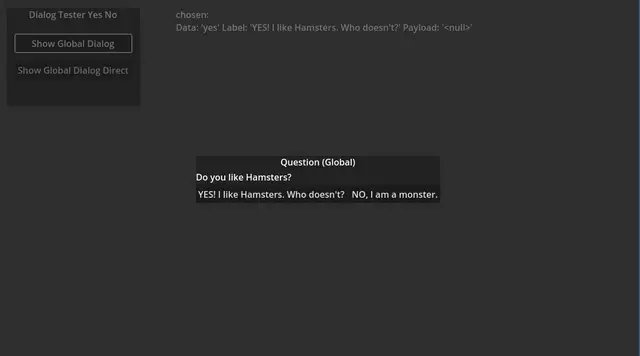

ModalDialogA modal dialog system for Godot.## Features* Title* RichTextLabel for dialog text* Options * are resources * can have direct function callbacks * string and any object payload per option* Selection event that provides the chosen data* Different layouts for options* Signals per ModalDialogAutoWire node or code


Easily add nodes with one line of code.Nodes that can be created are: Timer, Node, Node2D, Area2D, Marker2D, VisibleOnScreenEnabler2D


This addon adds a container, that can have multiple tabs, which the user can change by swiping left or right on the screen. It is based on the ScrollContainer node.Getting Started:• Download the addon and place it into your project directory, either manually, or through the Asset Store• Activate it in the Project Settings ("Plugins" tab)• Add a BetterTabContainer node to a scene. It is recommended that it is either set to full rect or has a "Fill" horizontal size flag• Add multiple nodes to it. Each child node counts as a separate tab, it can be any type of Control node. Please ignore the "ScrollContainer can only have one node" warning, I am actively trying to get rid of it• Done!Customizing the Node:• You can set the "Current Tab" property in the inspector. By default, it is set to 0, meaning the first tab is active on start• You can connect the "tab_switched" signal to another node to detect when it's changed• If you want to change the tab through code (for example, if you have a list of tab buttons next to the container), you can call the switch_tab(tab) method• You might also want to hide the horizontal scroll bar, as it does nothing• If you want to be able to swipe on tabs, make sure to set all of the children containers' mouse filter to "Pass", so it detects input