Embed free* AI assistants in Godot with the ability to read and write code in Godot's Code Editor.(*Free unless you use a non-local service like Gemini, xAI, etc)Key Features- Assistants can write code or documentation directly in Godot's Code Editor.- Assistants can read the code you highlight for quick interactions.- Save reusable prompts to ask your assistant to act with a single button.- Create your own assistant types and quick prompts without coding.- Have multiple chat sessions with different types of assistants simultaneously.- Edit the conversation history in case your assistant gets confused by some of your prompts.- Call LLMs locally or remotely.Please watch the videos to get started.Note, this plugin does not run LLM models directly, but acts as an interface between Godot and your LLM. There are plenty of options to run LLMs locally. Thanks to the community this tool supports the following:- Ollama*- Google Gemini- Jan (LM Studio)- Ollama Turbo- OpenRouter- OpenWebUI- xAI(*Ollama is officially supported, while the other LLM providers are maintained by community contributions. )You can learn more about what has changed in the latest version in https://github.com/FlamxGames/godot-ai-assistant-hub/blob/main/versions.md
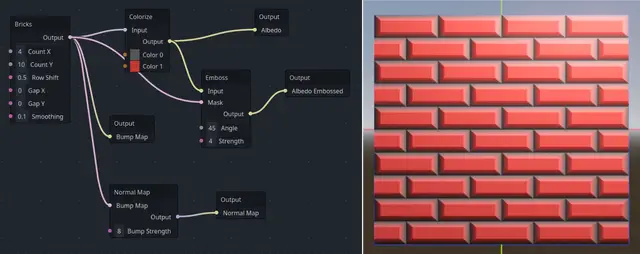
Create seamless, natural looking textures directly in Godot using a Visual Editor interface.This Addon allows the user to use the Godot Visual Editor to string together various patterns and filters in order to simply create stunning looking textures. These textures are fully procedural which means they are calculated (once) at loadtime and do not take up precious storage space in your distribution package.Designs can be used immediately as textures or exported as Shaders and Images if you want to use the results manually for other purposes.Changelog:v0.94* Add UID files for Godot 4.4 projects* Add Weave pattern* Add radius control to the Circle pattern* Fix some issues with render thread and background loadingv0.93* Fix issue with variant-to-int formatting for Godot 4.4v0.92* Fix issue with preserving Alpha pixels in outputv0.91* Allow exporting design nodes as an Image or Shader codev0.90* Initial release (beta)
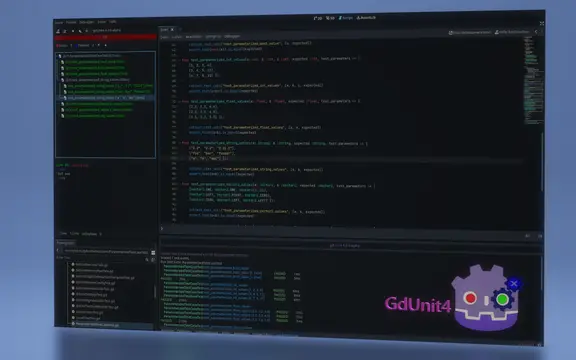
# GdUnit4 v5.0.3This version of GdUnit4 is build on Godotv4.4.1.stable.mono.official [49a5bc7b6]## Please read the following disclaimer carefully before proceeding! Before you install the new version, you have to disable the plugin and delete.- Deactivate the GdUnit4 plugin if you have installed- Uninstall the current GdUnit4 version (delete the folder res://addons/gdUnit4)- Restart Godot- Install this version and restart Godot- Activate the GdUnit4 pluginhttps://mikeschulze.github.io/gdUnit4/* Features* Support for writing and executing tests in GdScript or C#* Embedded test Inspector in Godot for easy navigation of your test suites* Convenient interface for running test-suites directly from Godot<br> One of the main features of GdUnit4 is the ability to run test-suites directly from the Godot editor using the context menu. You can run test-suites from the FileSystem panel, the ScriptEditor, or the GdUnit Inspector. To do this, simply right-click on the desired test-suite or test-case and select "Run Test(s)" from the context menu. This will run the selected tests and display the results in the GdUnit Inspector. You can create new test cases directly from the ScriptEditor by right-clicking on the function you want to test and selecting "Create TestCase" from the context menu.* Fluent syntax for writing test cases that's easy to read and understand* Configurable template for generating new test-suites when creating test-cases* Wide range of assertion methods for verifying the behavior and output of your code* Argument matchers for verifying that a function call was made with the expected arguments* Test Fuzzing support for generating random inputs to test edge cases and boundary conditions* Parameterized Tests (Test Cases) for testing functions with multiple sets of inputs and expected outputs* Mocking classes to simulate behavior and define output for specific functions* Spy feature for verifying that a function was called with the expected parameters* Mocking or spying on scenes to simulate behavior and verify that certain functions were called* Scene runner for simulating different kinds of inputs and actions, such as mouse clicks and keyboard inputs For example, you can simulate mouse clicks and keyboard inputs by calling the appropriate methods on the runner instance. Additionally, you can wait for a specific signal to be emitted by the scene, or you can wait for a specific function to return a certain value.* Automatic update notifier to install the latest version of GdUnit from GitHub* CI - Continuous Integration support * Command line tool for running tests outside Godot editor * Generates HTML report * Generates JUnit XML report* Public marketplace GitHub action to use in your own CI workflow [gdunit4-action](https://github.com/marketplace/actions/gdunit4-test-runner-action)* C# support by [gdUnit4Net](https://github.com/MikeSchulze/gdUnit4Net/blob/master/README.md) * Enables to run and debug on **Visual Studio**, **Visual Studio Code** and **JetBrains Rider** via [VSTest adapter support](https://github.com/MikeSchulze/gdUnit4Net/blob/master/testadapter/README.md)- You are welcome to test in and send me your feedback- You are welcome to suggest improvements- You are welcome to report bugs
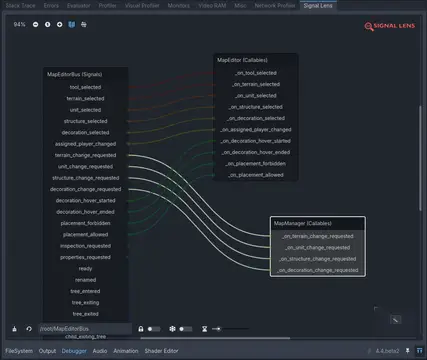
A Visual Debugger for SignalsSupports Godot 4.3+Features- Click on a node in the remote scene tree and instantly view all its signals' connections.- View signal emissions in real-time as they are emitted in-game.- Select and rearrange a graph view to inspect your signal connections.- Keep signal emissions so you can inspect them later.- Modify the signal emission speed so you can fine-tune the experience for your debugging purposes.- Supports inspection of built-in and custom signals.- Supports inspection of built-in nodes, custom nodes and autoloads — if it's in the remote tree, you can inspect it.- Draws both anonymous and named callables that are connected to a signal.- Log every signal emitted.- Inspection of Object, RefCounted and Resource types not supported (yet!)
A collection of base classes and static functions used in multiple plugins made by NovaDC. A backported subset of the true NovaTools addon to Godot v4.3. It's highly suggested to use the non compatibility version when possible, as this version is less frequently updated and might not as functional in some use cases.
Very simple plugin that let's you move around your code really fast with shortcuts.Use page-up or page-down to jump to the next empty line.You can also hold shift to to jump to func definitions.And use Ctrl and Alt to move between blocks and indentations.The Ctrl+Enter shortcut will also add a colon at the end if needed before jumping the line.Initially inspired by PICO-8 script editor where you use the 'page up/down' keys to move acress functions.# Shortcuts:Empty line & Func jumper- **Page Down** : Go to next empty line- **Page Up** : Go to previous empty line- **Shift + Page Down** : Go to next 'func'- **Shift + Page Up** : Go to previous 'func'Auto complete colons- **Ctrl + Enter** : Add (:) colon at end and create new line below (if needed)Move between indents and blocks- **Ctrl + Page Up** : Go to the begining of current Block- **Ctrl + Page Down** : Go to end begining of current the Block- **Alt + Page Up** : Go to the begining of the Block (no matter the indent)- **Alt + Page Down** : Go to the begining of the Block (no matter the indent)
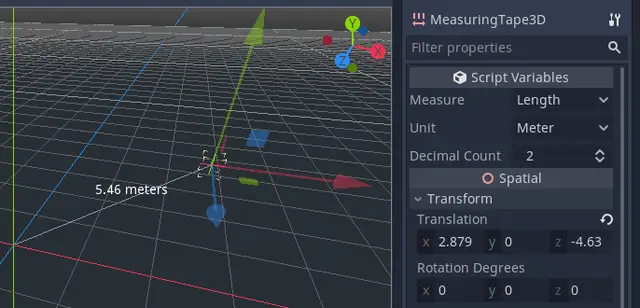
A tool for measuring things in Godot, using the positions of the measurement node and its parent node.These measurement types are supported:* Length* Area* Perimeter* Volume* Surface areaThese unit types are supported:* Meters* Millimeters* Centimeters* Kilometers* Hammer units (the Source engine's units).* Inches* Feet* Feet and inches* Yards* Miles* Light seconds* Light nanoseconds* Hectares (area)* Acres (area)* Liters (volume)* Gallons (volume)With 2D, you can set your own scale using pixels per meter, or PPI/DPI. The default is 100 pixels per meter, which correlates with Godot's default gravity setting, but if you are measuring UI elements you may wish to set to your DPI.
A plugin for creating accessible rich internet applications with godot.
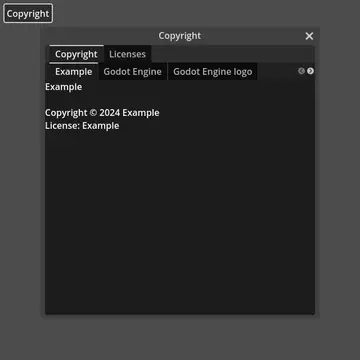
Adds a preset interface that shows an interactive list of all licenses. Custom licenses can be added through the GodotLicensing class.
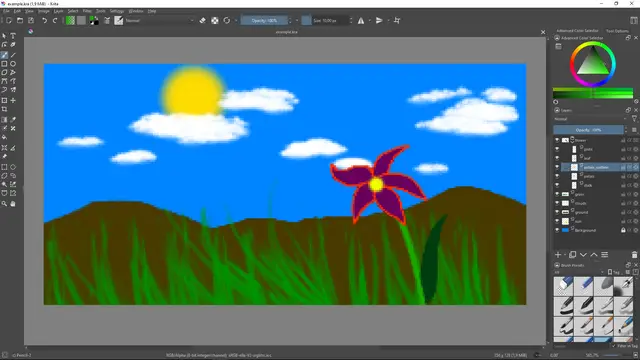
Plugin for Godot Engine to automatically import Krita KRA & KRZ-files.
GoLogger is a lightweight framework that enables you to create log entries to store game events and data into external .log files, making it easier to identify issues. GoLogger is a versatile tool aimed at making the debugging and maintaining process easier, and provide deeper insights into your game's behavior. By storing .log files externally, players can also share logs when they encounter issues, helping you resolve critical problems in released products.Simply define your log entries with "Log.entry("My log entry.")" and adding data the same way you would concatenating strings.The latest version, setup and more can be found in the Github repository and the wiki.https://github.com/Burloe/GoLogger/wiki/
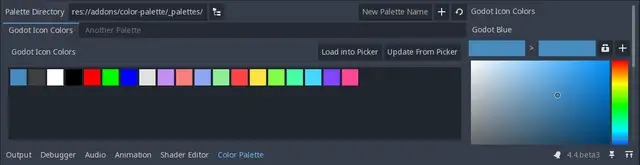
Manage color palettes from within Godot to make coloring and theming easier!