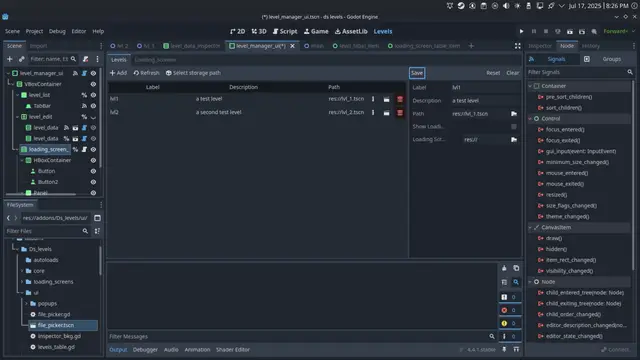
163 MCP Tools for AI-Powered Godot DevelopmentConnect AI assistants (Claude Code, Cursor, Windsurf, Cline) directly to your Godot 4 editor via the Model Context Protocol (MCP).Architecture: AI Assistant <--MCP--> Node.js Server <--WebSocket:6505--> Godot Editor Plugin23 Tool Categories (163 tools total): Project (7) — Project info, file search, settings, UID conversion Scene (9) — Scene tree, create/open/delete, play/stop, instancing Node (14) — Add/delete/duplicate/move, properties, signals, groups Script (8) — Read/create/edit, attach, validate syntax, search Editor (9) — Screenshots, error log, execute scripts, reload Input (7) — Key/mouse/action simulation, sequences, input mapping Runtime (19) — Game inspection, recording/replay, navigate, UI click Animation (6) — Create animations, tracks, keyframes with easing AnimationTree (8) — State machines, transitions, blend trees 3D Scene (6) — Meshes, cameras, lights, environment, GridMap Physics (6) — Bodies, collision shapes, layers, raycasts Particle (5) — GPU particles, materials, gradients, presets Navigation (6) — Regions, agents, baking, layer management Audio (6) — Players, bus layout, effects TileMap (6) — Set/fill/query cells, tile set info Theme/UI (6) — Colors, fonts, constants, StyleBox Shader (6) — Create/edit shaders, assign materials, parameters Resource (6) — Read/edit/create .tres, autoloads Batch/Refactor (8) — Find by type, cross-scene updates, dependencies Analysis (4) — Scene complexity, signal flow, unused resources Testing/QA (6) — Automated tests, assertions, screenshot compare Profiling (2) — Performance monitors, FPS/memory/draw calls Export (3) — Presets, export commands, template infoKey Features: - UndoRedo Integration — All mutations support Ctrl+Z - Smart Type Parsing — "Vector2(100, 200)", "#ff0000", "Color(1,0,0)" auto-converted - Auto-Reconnect — Exponential backoff (1s to 60s max) - Heartbeat — 10s ping/pong keeps connection alive - Error Suggestions — Structured errors with contextual hints - 2D & 3D — Full support for both 2D and 3D workflows - Lite Mode — 76 core tools for clients with tool limits (Cursor, Windsurf) - Permission Presets — Pre-configured settings for Claude Code auto-approvalQuick Start: 1. Copy addons/godot_mcp/ to your project 2. Enable plugin in Project Settings > Plugins 3. Install MCP server: cd server && npm install && npm run build 4. Configure your AI client's .mcp.jsonRequirements: - Godot 4.4+ - Node.js 18+ - MCP-compatible AI client (Claude Code, Cursor, Windsurf, VS Code + Cline, etc.)Links: Website & Docs: https://godot-mcp.abyo.net/ Purchase (itch.io): https://y1uda.itch.io/godot-mcp-pro — $15 one-time, lifetime updates for v1.x GitHub: https://github.com/youichi-uda/godot-mcp-proNote: This repository contains the Godot editor plugin (addon). The full package including the MCP server is available via purchase.