Unit Testing Plugin for Godot.Tested with version 3.3.2SUPPORTSEditor IntegrationTest HooksAsynchronous TestingParameterized TestingThreaded TestsJUnit XMLCommand Line Interface With CI SupportAnd More
Unit Testing Plugin for Godot Mono.Tested with version 3.3.2SUPPORTSEditor IntegrationTest HooksAsynchronous TestingParameterized TestingThreaded TestsJUnit XMLCommand Line Interface With CI SupportAnd More
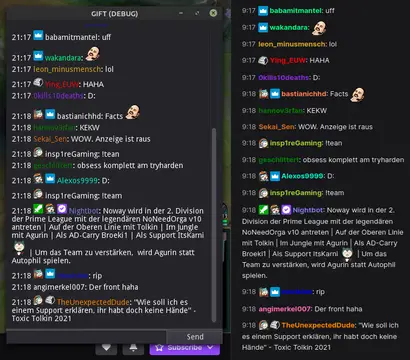
This addon provides a node that can be used to easily interact with the twitch IRC chat. Commands are registered similar to how you connect a node.Features:- connect to twitch using a secure websocket- join/leave channels, request twitch capabilities- send chat messages/whispers/raw data- register commands with min/max amount of args- check for permissions to execute the command- many signals to process additional data- shows raw data in output log while in debug mode- automatically download & cache emotes and user badges You will need to get a OAuth token. Either use this link to get a token using your own client_id from your registered application; https://twitchapps.com/tokengen/Or this link to get a token for testing;https://twitchapps.com/tmi/The Gift.gd script in the repository should get you started.
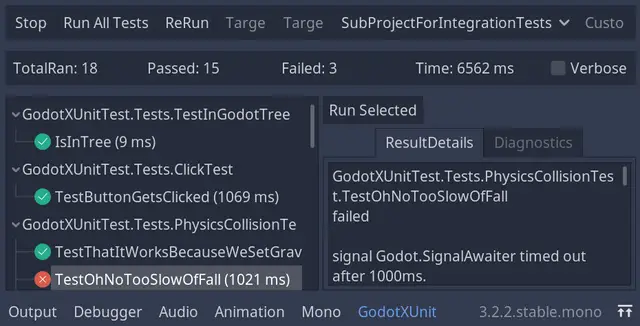
Integrates the fully featured and standard C# xunit testing framework into godot.
ASM is a GraphNode Based State machine tool for Godot 3, It generates a ready-to-go state machine for your game:**New Features:**- [x] Run at editor- [x] Delete States**Bug Fixes**- [x] Compile.gd was not producing _process() to update the state machine- [x] Right-Mouse click was generating itemlist far from mouse (needs testing on different screens)
[For Godot 3.1] WAT is a Testing Framework. It allows you to easily create test scripts and quickly run many at a time. You can find the documentation @ https://wat.readthedocs.io/en/latest/
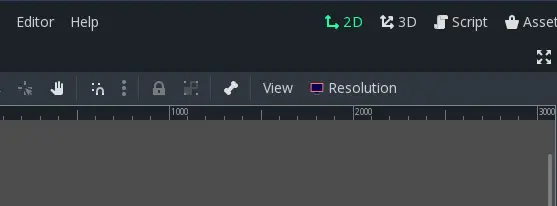
This plugin will create a button (Resolution) in canvas editor (2D main page) which allow you to manage game test resolutions and switch between them very quickly from predefined lists. Based on Resolution Switcher plugin (https://github.com/vinod8990/godot_plugins/tree/master/Resolution%20Switcher), but this one support godot 3.1.Features:- Choose stretch mode and aspect from predefiend list, added tooltip for each one.- Set base resolution, directly or choosing from a list. (will throw error dialog if any value is zero).- Contain a lists of resolution to choose from (like iphone, ipad, android, basic, most used).- If the resolution list is custom, you can define your own resolution. Any custom resolution can be set as a base or test resolution. (will throw error dialog if any value is zero).
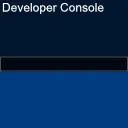
A simple console toggled with the ~ key that lets you quickly test features in your game, as seen in games like Quake.Example:func _ready(): Console.add_command("map", self, "load_level", 1)func load_level(level_name : String): # Do your level loading stuff here
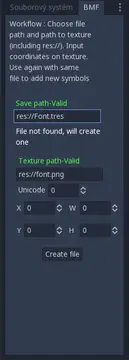
This plugin allows you to easy create and edit Bitmap font. Simply choose your texture, unicode number and specify rect of desired symbol. This tool allow you to add any part of any texture as any symbol. Other tools are looped and does not allows to add individual symbols, this one does. Tested and build on GoDot 3.0.5 but it should work on other versions as well1. Path to file. If you are creating new font it will be saved in this path. If you are editing font select path to it. Pathmust be full including *res://* or *usr://*.2. Path to texture. Same as path to file, path to texture must be full as well. Point this path to texture sheet of your font.3. Unicode code. This specify what symbol you are adding.4. X, Y, W and H are Rect2D coordinates of symbol you are adding. Rect is in pixels on your texture.5. Click button and let it work.6. Add more symbols by repeating steps 3-5 with same file. If editing existing font, texture is not required.About "Invalid path"---------------Both paths needs to contain "res://" or "usr://". Save path need to contain ".tres" and texture path need to contains ".png", ".jpg" or ".jpeg"
An experimental tool that allows you to capture Godot scenes' frames and turn them into a spritesheet with a transparent background.Usage is as simple as$SpritesheetGenerator.record_for_a_while()Requires GIMP and ImageMagick.Works on Linux.Not tested on Mac.Requires a bash console on Windows. Git provides one.If you find this plugin as handy as we do and you use it to make a game, send us a note (in the issues) to give us boasting rights !