Tools for rapidly developing and deploying multiplayer games with Godot 4Learn more at https://jamlaunch.com
Godot 4.x timed label with options to add keystroke sounds with pitch variations, and random intervals.Usage:Drag it to your scene and put the text in the text field. You can set it to autostart otherwise it will wait for a call to 'func start()'.Parameters:* Auto Start : Enable autostart* Delay Start : Delay the text start (seconds)* Interval : Interval between keystrokes (seconds)* Interval Variation : random interval variation (seconds)* Audio : AudioStream for keystrokes* Pitch : Pitch of the AudioStream* Pitch Variation : random pitch variation for keystrokes* Volume Db : Keystrokes volume* Ignore Blank_Spaces : Ignores blank spaces on keystrokes, if true will jump to next char, if it is at the end of the text, it will finish the text.Methods:* func define_text(text : String): Define the text, trigger text cleanup, not affected by autostart, must call start after defined.* func start(): Starts the text, if the text is already playing will restart.* func end(): Finishes the text, and fills all text at once.Signals:* Start : Emmited at the start of the text.* KeyStroke(key: String) : Emmited on every keystroke.* End : Emmited at the end of the text.By Cianci KelvysB.Check Cianci Tutorials (Brazilian Portuguese):https://www.youtube.com/@CiaNCIStudio
This plugin provides the basic mechanism of DungeonCrawler:- map creation via titlemap node- player movementTo run this script, simply play "World.tscn"Global.gd must be added to the autoloader. (Game/Global.gd)More detailed information can be found at:https://github.com/Rebelion-Board-game/DungonCrawler
This project showcases the two main 3D text techniques supported by Godot: Label3D and TextMesh.Both Label3D and TextMesh exist in 3D space and can optionally be occluded by other objects, but they serve different use cases.Label3D: The Label3D node is a 3D node like any other. It draws text using one quad per character, which can optionally be set to work as a billboard.TextMesh: Unlike Label3D, TextMesh can optionally have actual depth since it generates geometry to represent the text. TextMesh is not a node, but a PrimitiveMesh resource you use within a MeshsInstance3D node. Therefore, you won't see TextMesh in the Create New Node dialog.Icons can also be displayed in Label3D and TextMesh using icon fonts, which can be generated from SVG files using serivces like Fontello: https://fontello.com/Note that while Label3D supports colored rasterized fonts (such as emoji), only monochrome fonts can be generated from Fontello. TextMesh and Label3D with MSDF fonts are limited to monochrome fonts too.Both standard rasterized and MSDF fonts can be used in Label3D, while TextMesh will only support fonts that can be drawn as MSDF well. This excludes fonts that have self-intersecting outlines, which Godot currently doesn't handle well when converting them to MSDF.In most scenarios, Label3D is easier to use and can look better (thanks to outlines and MSDF rendering). TextMesh is more powerful and is intended for more specialized use cases.Language: GDScriptRenderer: Forward+
Modular first person controller based on Quake's movement systemIncludes a system for creating controllers using modular states made out of resourcesThis modular system was built using Kabariya's strafer controller (https://github.com/Kabariya/strafer) as a base. Three features have been added to their controller:- Sliding- Maintaining the current direction when jumping (and not pressing any keys)- Limiting the player's control over the controller in the airDocumentation is included using docstrings, more information at: https://github.com/AceSpectre/Extended-Strafer-Controller
Spawn thousands of bullets or particles on screen in an extremely performant way! This plugin uses the MultiMeshInstance2D to render thousands of bullets easily while running the logic in C++ to keep things fast! Use this for bullet hell or danmaku-type games! Now version 1.2!Here is the full repository for documentation: https://github.com/Moonzel/Godot-PerfBullets
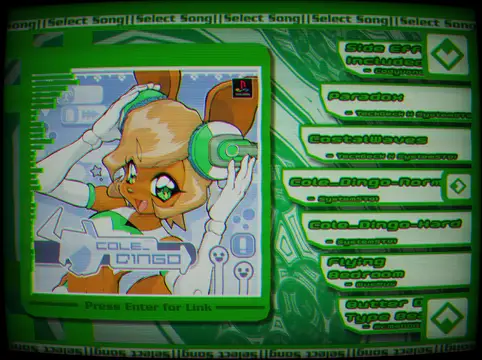
A small experiment with UI I worked on between projects to try and emulate the feeling of a Dance Dance Revolution song select menu, can be used by clicking the buttons or the arrow and enter keys. selecting a song will take you to an associated link!Shaders:https://godotshaders.com/shader/kaleidoscope/https://godotshaders.com/shader/crt-with-variable-fisheye/Spectralizer:https://godotengine.org/asset-library/asset/2762Music:SystemST91: https://soundcloud.com/systemst91/cole-dingo-normal-version https://soundcloud.com/systemst91/cole-dingo-hard-versionTeckGeck & SystemST91: https://soundcloud.com/systemst91/sets/teckgeck-megamix-ver-rmx-by-system-st91CodyVondell: https://soundcloud.com/codyvondell/futureproof https://soundcloud.com/codyvondell/side-effects-includedMusMus: https://www.youtube.com/watch?v=ZLLn3FNyc5sMcMangos: https://www.youtube.com/watch?v=8V5T6oUOEV4
demo version: Godot 4.4 rc-3 .NETThis tool allow you Import PMX model. And import vmd animation to animate camera and model. This plugin depends on BulletSharpPInvoke.You can get libbullectc.dll from BulletSharpPInvoke's demo. Copy it to project directory. The link is below.https://github.com/AndresTraks/BulletSharpPInvoke/releasesTo compile BulletSharpPInvoke, you can check out my fork.https://github.com/sselecirPyM/BulletSharpPInvokeVideo Tutorial (Chinese):https://www.bilibili.com/video/BV1pKY3e5EHn/
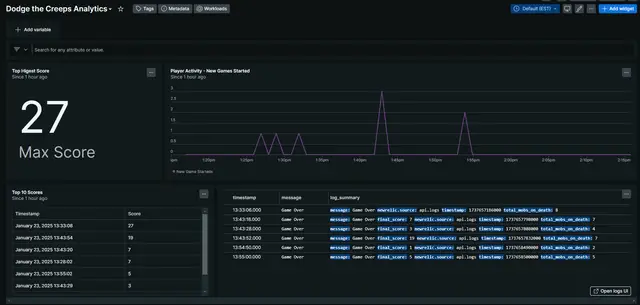
New Relic (https://newrelic.com) is a SaaS based observability platform that provides software monitoring and analytics for any technology. This addon allows developers to send useful data in the form of events, metrics, or logs to New Relic for troubleshooting or game analysis. That data can then be used to create meaningful visualizations.Docs: https://github.com/khpeet/newrelic-godot-plugin?tab=readme-ov-file#new-relic-godot-plugin
Quickly building backpacks with godot使用godot背包插件快速构建背包https://gitee.com/L_HM/backpack_gridVersion 1.3
A plugin for Godot that parses and displays RSS feeds in engine (and editor).NOTE: This plugin currently only supports RSS feeds and not ATOM feeds.NOTE: This plugin includes the GodotXML addon, which is a dependency for this plugin to work. GodotXML plugin taken from https://github.com/elenakrittik/GodotXML .
AutoSaver is a peace-of-mind plugin for Godot 4 that enables a toggle to automatically save the currently open scenes and files based on a timer schedule (default is 60 seconds) and/or when the application loses focus. The plugin has some optional configuration to customize the experience.## Features • Toggle autosave functionality in the Godot editor• Prevent saving during active editing (scenes)• Integration with Godot's built-in autosave features• Easy-to-use settings panel in the Godot editor[+] What this plugin does:• Automatically saves open text files (.gd, .txt, etc.) and scene files (.tscn) in the Godot editor at regular intervals.• Provides an optional feature to save files when the Godot editor loses focus (disabled by default).• Compatible with GDScript-only projects when using Godot Engine for .NET (see Troubleshoothing)[-] What this plugin does NOT do :• This plugin does not create an autosave system for your game projects.• It's not a replacement for version control systems like Git.• This plugin doesn't create backups or multiple versions of your files; it simply saves the current state of open files in Godot.More info: https://github.com/vrravalos/AutoSaver-for-Godot