


This addon adds a container, that can have multiple tabs, which the user can change by swiping left or right on the screen. It is based on the ScrollContainer node.Getting Started:• Download the addon and place it into your project directory, either manually, or through the Asset Store• Activate it in the Project Settings ("Plugins" tab)• Add a BetterTabContainer node to a scene. It is recommended that it is either set to full rect or has a "Fill" horizontal size flag• Add multiple nodes to it. Each child node counts as a separate tab, it can be any type of Control node. Please ignore the "ScrollContainer can only have one node" warning, I am actively trying to get rid of it• Done!Customizing the Node:• You can set the "Current Tab" property in the inspector. By default, it is set to 0, meaning the first tab is active on start• You can connect the "tab_switched" signal to another node to detect when it's changed• If you want to change the tab through code (for example, if you have a list of tab buttons next to the container), you can call the switch_tab(tab) method• You might also want to hide the horizontal scroll bar, as it does nothing• If you want to be able to swipe on tabs, make sure to set all of the children containers' mouse filter to "Pass", so it detects input
EffectBus 2D (C#)
An asset by chasecarlson1
Quick Information

EffectBus 2D (C#)
An EffectBus node manages object pools of AnimatedSprite2D-based effects for performance optimization.The best use case of an EffectBus node is to pool hundreds (or even thousands) of AnimatedSprite2D flipbook effects in a scene where the effects can to be y-sorted, unlike using a regular particle system.
Supported Engine Version
4.3
Version String
1.0.0
Support Level
community
Modified Date
1 year ago
Git URL
Issue URL
EffectBus
Made for Godot v4.3 stable, mono/C# edition.
MIT licensed by u/GamingGuitarControlr on Reddit.
Table of Contents
Overview
An EffectBus node manages object pools of AnimatedSprite2D-based effects for performance optimization.
The best use case of an EffectBus node is to pool hundreds (or even thousands) of AnimatedSprite2D flipbook effects in a scene where the effects can to be y-sorted, unlike using a regular particle system.
Common effects include bullet hits, footsteps, blood, explosions, decals, etc...
An EffectBus is a node you instantiate in a scene to play SpriteFrames-based effects. The EffectBus pools AnimatedSprite2D nodes and manages them to reuse them each time an effect is called from anywhere using a static method: EffectBus.PlayEffect(EffectData data).
In the scene tree, the effects will be a sibling of the EffectBus node, which means you can add an EffectBus as a child of a Node2D with y-sorting enabled, and the effects you then create will be y-sorted! (unless you set an explicit z-index and set it to not be relative for the effects).
How to Set-Up an EffectBus Node
When you add an EffectBus node to your scene, you will see one exported property: Sprite Frame Data.
With this property, you can add new SpriteFramesData resource instances to this exported Array to set up what effects can be played.
These SpriteFrameData resources have several exported properties to set up...
- Name is the unique ID or name of this effect.
- It is a StringName.
- and you must pass the exact name when calling for the effect.
- Frames is the underlying SpriteFrames resource for the effect.
- Animation names do not matter.
- Animations must loop.
- More animations = more random variety to play.
- Count is the number of instances in this pool.
- More instances means more nodes in the scene.
- The instances will be siblings of the EffectBus.
- Defaults to 20, but could be much, much more.
- Once the 20th one has played, the 0th one will play, and the cycle continues to reuse the AnimatedSprite2D nodes in the pool.
- Offset Centered means the instances (AnimatedSprite2Ds) of this effect will have the origin of the sprite be Centered.
- If you turn it off, it will be centered at the top left corner of the frame.
- Offset is the center/anchor offset of the instances
- This is the "Offset" property of the AnimatedSprite2D instances.
- HideOnFinish, if true, will hide the AnimatedSprite2D of an effect instance that has finished playing.
- This doesn't matter if your last frame in your effect is blank.
- If you have a blood splatter, you might want this to be turned off to allow the last frame to stay put until the instance is recycled in the object pool.
- Z Index Relative will make the instances have this be true
- Leave this on if you want y-sorting to work.
- Z Index is the z-index of the instances
- Leave this at zero if you want y-sorting to work.
Note that the names of the animations in the SpriteFrames resource do not matter.
Animations will be played at random.
You include multiple animations in the SpriteFrames resource to allow for random variations.
Make sure the animations in the SpriteFrames resource do NOT loop.
tl;dr...
Instantiate an EffectBus node and add effect resources to its only exported variable, which is an Array of EffectData.
How to Play Effects
If I have an effect with the StringName Name of "step", I can call that effect to play by using the following static function...
EffectBus.EffectBus.PlayEffect(EffectData data);
EffectData is a struct that contains the Name of the effect you are trying to play, the global Transform2D of the effect (where to play it), the self-modulate color of the effect, and an optional speed modifier for adjusting the playback speed (defaults to 1f).
An actual method call would look something like this:
EffectBus.EffectBus.PlayEffect(new("StringName of the effect", globalTransformToUse, Colors.RosyBrown));
Or this if you want to have a non-1x playback speed modifier:
EffectBus.EffectBus.PlayEffect(new("StringName of the effect", globalTransformToUse, Colors.RosyBrown, 2f)); // 2x speed
tl;dr...
Safely call a static method, "EffectBus.PlayEffect(data)", from any node or script, and if an EffectBus is in the SceneTree, it will respond and play it.
Example
You don't need to get a reference to the actual EffectBus node that will manage the effects you are calling.
If the effect doesn't exist in an EffectBus in the scene, nothing happens.
Here is an example of a script in a scene that calls an effect named "test"...
using Godot;

public partial class Test : Node2D
{
    public override void _PhysicsProcess(double delta)
    {
        base._PhysicsProcess(delta);
        if (Input.IsMouseButtonPressed(MouseButton.Left))
        {
            Transform2D xform = new(0f, new(1f, 1f), 0f, GetGlobalMousePosition());
            EffectBus.EffectBus.PlayEffect(new("test", xform, Colors.RosyBrown)); // defaults to a speed of 1f
            // EffectBus is the namespace, and EffectBus is the name of the class inside it that you will use, which can be a little confusing
        }
    }
}
An EffectBus node manages object pools of AnimatedSprite2D-based effects for performance optimization. The best use case of an EffectBus node is to pool hundreds (or even thousands) of AnimatedSprite2D flipbook effects in a scene where the effects can to be y-sorted, unlike using a regular particle system.
Reviews
0 total reviews
Quick Information
EffectBus 2D (C#)
An EffectBus node manages object pools of AnimatedSprite2D-based effects for performance optimization.The best use case of an EffectBus node is to pool hundreds (or even thousands) of AnimatedSprite2D flipbook effects in a scene where the effects can to be y-sorted, unlike using a regular particle system.
Supported Engine Version
4.3
Version String
1.0.0
Support Level
community
Modified Date
1 year ago
Git URL
Issue URL
Related Assets
More in 2D Tools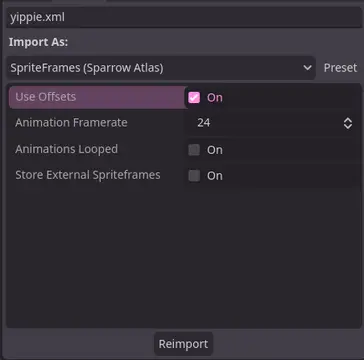

A Godot addon that adds a ResourceImporter for the Sparrow Texture Atlas XML Format.


TileBitTools is a Godot 4 plugin for autotile templates and terrain bit editing.- Built-in autotile templates for all 3 terrain modes* 3x3 minimal, 3x3 16-tile and 2x2 templates from Godot 3 documentation* Blob, Wang and Wang 3-terrain templates to match Tilesetter's default export* 256-tile Corners and Sides templates from TilePipe2 (requires plugin for use)* Simple 9- and 4-tile templates- Custom user template creation- Bulk terrain bit editing buttons: Fill, Set Bits, and Clear- Customization options in Project SettingsSee github.com/dandeliondino/tile_bit_tools for full Readme and Wiki documentation


A smooth, feature-rich top-down camera plugin for Godot.Effortlessly pan and zoom your 2D game scenes with intuitive controls and configurable boundaries.Ideal for strategy and simulation games, with camera controls inspired by titles like Hearts of Iron and Stacklands.Main Features- Smooth Cursor-Centric Zoom & PanSeamlessly zoom in and out towards the mouse cursor, with smooth camera movement and interpolation for a polished feel.- Visual Boundary ConfigurationEasily set and visualize camera movement limits in the editor.- Edge ScrollingAutomatically pan the camera when the mouse approaches the screen edges.- Keyboard ControlMove the camera with keyboard input.