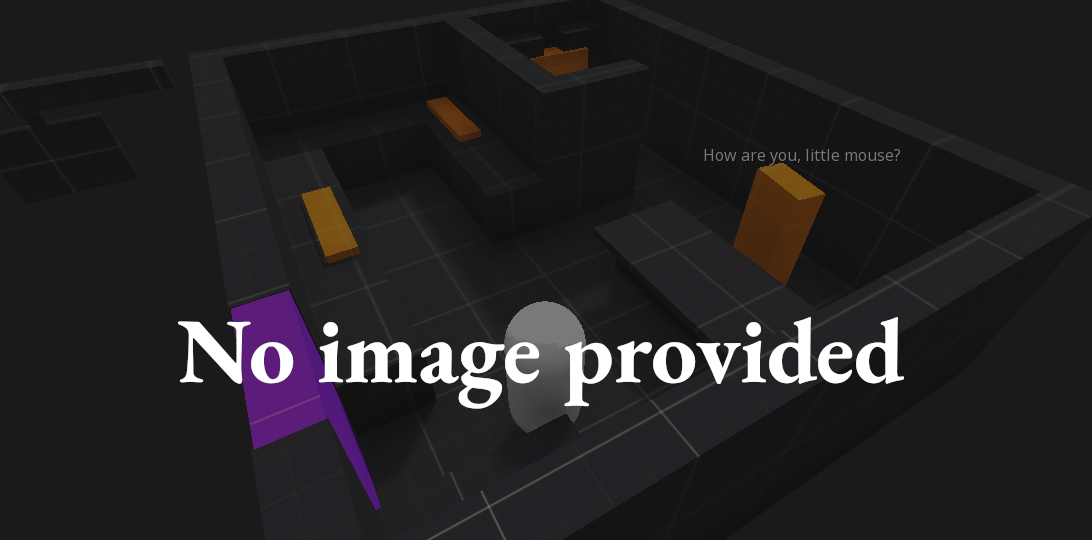


A smooth, feature-rich top-down camera plugin for Godot.Effortlessly pan and zoom your 2D game scenes with intuitive controls and configurable boundaries.Ideal for strategy and simulation games, with camera controls inspired by titles like Hearts of Iron and Stacklands.Main Features- Smooth Cursor-Centric Zoom & PanSeamlessly zoom in and out towards the mouse cursor, with smooth camera movement and interpolation for a polished feel.- Visual Boundary ConfigurationEasily set and visualize camera movement limits in the editor.- Edge ScrollingAutomatically pan the camera when the mouse approaches the screen edges.- Keyboard ControlMove the camera with keyboard input.
Lit - 2D Lighting Engine
An asset by raddedd
Quick Information

Lit - 2D Lighting Engine
Lit is an alongside replacement for Godot's built-in 2D lights. It keeps the parts you like (add a node, set some values, done) and fixes the part you don't: the hard cap of ~15 lights per object. Light a whole scene with as many lights as you want, get real soft shadows, and stack on a pile of post-processing - all without leaving the node workflow.
Supported Engine Version
4.4
Version String
1.1.0
Support Level
community
Modified Date
3 days ago
Git URL
Issue URL
Lit
Drop-in 2D lighting for Godot 4 - with no light limit. (Docs)
Lit is an alongside replacement for Godot's built-in 2D lights. It keeps the parts you like (add a node, set some values, done) and fixes the part you don't: the hard cap of ~15 lights per object. Light a whole scene with as many lights as you want, get real soft shadows, and stack on a pile of post-processing - all without leaving the node workflow.
Requires Godot 4.4+ on the Forward+ renderer. (Mobile/Compatibility aren't supported.)
Support
Lit is made and maintained by Fading Lantern Games. Questions, bugs, or just want to show off what you built? Come hang out in our Discord:
→ https://discord.gg/nfqeRGnM7P
Prefer videos? Subscribe on YouTube:
→ https://www.youtube.com/@FadingLanternGames
Quickstart (Lit Docs)
- Enable the plugin. Project → Project Settings → Plugins → turn on Lit. Reload the project if Godot asks.
- Make it dark. Add a
LitCanvasModulatenode to your scene and set its color to something dark. Your world is now in shadow, waiting to be lit. (Use this instead of Godot'sCanvasModulate, not alongside it.) - Let your art catch light. Either drop in a
LitSprite2D(comes ready to go), or select existingSprite2D/TileMapLayer/ other 2D nodes and run Project → Tools → Make Selected Nodes Lit. - Add a light. Drop a
LitPointLight2Dover your art and watch it light up. Tweak color, energy, and range to taste. - Want shadows? On the light, tick Shadow Enabled. Then give the world something to
block the light: add a
LightOccluder2Dto a sprite, or for tiles enable SDF Collision on your TileSet's occlusion layer. A sprite carrying the receiver material —LitSprite2D, tool-converted, or hand-assigned — never shadows itself: its occluder's shadow falls behind it (flip Self Shadow on the sprite if you want plain SDF shadowing back). - Want a look? Add a
LitPostProcessnode and switch on bloom, color grade, CRT, or any of the other effects.
That's it — everything updates live in the editor as you build.
What you get
- Uncapped lights & shadows. No 15-light limit. Use as many as your scene needs.
- Three light types. Point, Directional (a sun), and Spot (a cone).
- Light textures (cookies). Drop a texture on a point or spot light to shape it —
window panes, canopy dapple, blinds — just like the engine's
PointLight2Dtexture. - Soft or hard shadows. One slider per light, from razor-sharp to feathery.
- Three shadow algorithms, per light. Cone Traced (the default: a single signed-coverage cone march driven by a physical Source Radius — penumbras widen with distance, the umbra tapers closed behind small occluders, and an antumbra re-brightens, beyond Unreal's penumbra-only SDF shadows at a modest cost), Raymarched (the fastest, stylized option — penumbra shaped by the hardness slider alone), and Stochastic (splits the source into sampled sub-cones — ground truth, correct even where several occluders share one penumbra, with samples/jitter dials; a cone penumbra gate keeps its cost down outside true penumbra). Pick per light with the Shadow Algorithm dropdown.
- Normal maps & specular, free. Reads them straight from your
CanvasTexture— no wiring. - Blinn–Phong or PBR. Pick the lighting model in Project Settings → Lit. PBR adds optional metallic / roughness / AO inputs on the receiver material; switch back to Blinn–Phong any time and the extra maps are simply ignored.
- Darkness & ambient. One
LitCanvasModulatenode sets the mood for the whole scene. - Light masks. Make a light affect only the things you want it to.
- Negative lights. Flip a light to subtract to carve pools of extra darkness.
- Works on any 2D node. Sprites, tilemaps, polygons — if it draws, it can be lit.
- Live in the editor. See your lighting while you build, no need to hit play.
- 20+ post-processing effects on a single node: auto exposure (eye adaptation), bloom, color grade, LUT presets, vignette, CRT, VHS, film grain, chromatic aberration, posterize, pixelate, halftone, dither, outline, halation, letterbox, lens distortion, light leaks, glitch, and a focus/blur-to-sharpen dial.
The nodes
| Node | What it does |
|---|---|
LitPointLight2D |
A light that shines in all directions from a point. |
LitDirectionalLight2D |
A sun — parallel light across the whole scene. |
LitSpotLight2D |
A cone of light you can aim. |
LitCanvasModulate |
Sets the scene's darkness/ambient color. |
LitSprite2D |
A Sprite2D that's already set up to receive light. |
LitTileMapLayer |
A TileMapLayer that's already set up to receive light. |
LitPostProcess |
The post-processing stack (bloom, grading, CRT, and friends). |
LitSplashScreen |
A drop-in branded splash (glitch-fade logo, skippable). |
Good to know
- A Lit-lit object is lit only by Lit; a normal object is lit only by Godot's built-in
Light2D. The two systems live side by side, so you can convert a project piece by piece. - For tilemaps to cast shadows, the TileSet's occlusion layer needs SDF Collision turned on (it's off by default).
Contributing
Lit is open source and we'd love the help. Found a bug, have an idea, or want to build out a feature? Open an issue or pull request on GitHub:
→ https://github.com/shawndeprey/lit
Want to talk an idea through first? The Discord is the quickest way to reach us.
License
Lit is free and open-source under the MIT License — use it in anything, commercial or
not, no credit required. See the LICENSE file for the details.
Shader precompilation
The first time your game runs on a machine, Lit prepares that machine to run your lighting. A GPU can only run machine code built for it, and that code can't ship in a download; games that build it mid-play are the ones that hitch the first time an effect appears on screen. So Lit builds all of it up front: the player's graphics driver translates every lighting and shadow shader into machine code for that exact GPU, saved as a cache in the game's user data folder (the pipeline cache file is literally named after the graphics card it was built for). What that preparation gets you:
- No lighting stutter, ever. Every lighting and shadow shader's machine code is on disk before play begins; from then on, launches just load the cache. (The one documented exception is the post-processing passes: a pass compiles the first time you enable it, since Lit can't know which of the 20 your game uses. If you need a pass hitch-free, toggle it on once during your own loading flow.)
- Every moment covered, not just the common ones. Lit swaps shaders as your game changes state (a masked light appears, a shadow algorithm changes) - lazily-built caches hitch exactly there; a complete one never does.
- Once per machine. Precompilation returns only when the shaders change (a game update or a new Lit version).
- Same fps. Shaders run at whatever speed the card runs them - preparation just moves the build cost out of gameplay.
In the editor the same warm-up happens silently in the background, so precompilation only ever runs in a running game. You choose how it runs, in Project Settings → Lit:
Synchronous (the default). A Lit Shaders Precompiling screen covers the game until every shader is built - the classic "preparing shaders" boot screen. Fastest total build, nothing else runs.
Asynchronous (lit/startup/precompile_async). The game starts immediately and
plays normally while a hidden second process builds the shaders in parallel at full
speed; a small floating progress box shows the countdown. Shaders your scenes demand
before they're ready still compile on the spot (a menu scene typically hits one or
two), so this trades a guaranteed-clean first session for an instant start.
API-initiated. Turn off lit/startup/precompile_shaders and run the same
worker-backed build yourself, wherever it fits your flow (a settings screen, behind
your own loader, after a "prepare shaders?" prompt):
if LitManager.precompile_shaders():          # false if one is already running
    LitManager.precompile_progress.connect(
        func(done, total, label): my_bar.value = float(done) / total)
    await LitManager.precompile_finished
The lit/startup/* settings: precompile_shaders (the launch-time build on/off),
precompile_async (worker-backed background mode), precompile_title (custom screen
title), precompile_verbose (show the shader being compiled), and
precompile_async_position (where the floating progress box sits).
Lit is an alongside replacement for Godot's built-in 2D lights. It keeps the parts you like (add a node, set some values, done) and fixes the part you don't: the hard cap of ~15 lights per object. Light a whole scene with as many lights as you want, get real soft shadows, and stack on a pile of post-processing - all without leaving the node workflow.
Reviews
0 total reviews
Quick Information
Lit - 2D Lighting Engine
Lit is an alongside replacement for Godot's built-in 2D lights. It keeps the parts you like (add a node, set some values, done) and fixes the part you don't: the hard cap of ~15 lights per object. Light a whole scene with as many lights as you want, get real soft shadows, and stack on a pile of post-processing - all without leaving the node workflow.
Supported Engine Version
4.4
Version String
1.1.0
Support Level
community
Modified Date
3 days ago
Git URL
Issue URL
Related Assets
More in 2D Tools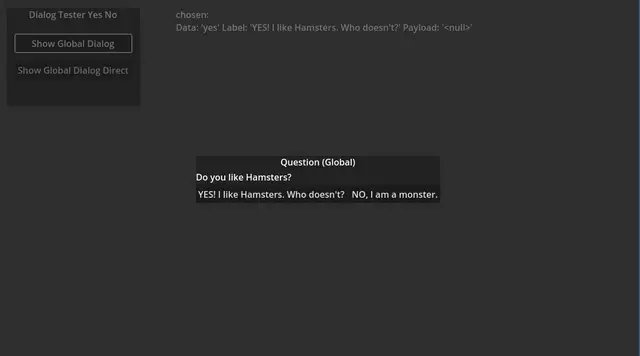

ModalDialogA modal dialog system for Godot.## Features* Title* RichTextLabel for dialog text* Options * are resources * can have direct function callbacks * string and any object payload per option* Selection event that provides the chosen data* Different layouts for options* Signals per ModalDialogAutoWire node or code


Easily add nodes with one line of code.Nodes that can be created are: Timer, Node, Node2D, Area2D, Marker2D, VisibleOnScreenEnabler2D


This addon adds a container, that can have multiple tabs, which the user can change by swiping left or right on the screen. It is based on the ScrollContainer node.Getting Started:• Download the addon and place it into your project directory, either manually, or through the Asset Store• Activate it in the Project Settings ("Plugins" tab)• Add a BetterTabContainer node to a scene. It is recommended that it is either set to full rect or has a "Fill" horizontal size flag• Add multiple nodes to it. Each child node counts as a separate tab, it can be any type of Control node. Please ignore the "ScrollContainer can only have one node" warning, I am actively trying to get rid of it• Done!Customizing the Node:• You can set the "Current Tab" property in the inspector. By default, it is set to 0, meaning the first tab is active on start• You can connect the "tab_switched" signal to another node to detect when it's changed• If you want to change the tab through code (for example, if you have a list of tab buttons next to the container), you can call the switch_tab(tab) method• You might also want to hide the horizontal scroll bar, as it does nothing• If you want to be able to swipe on tabs, make sure to set all of the children containers' mouse filter to "Pass", so it detects input