
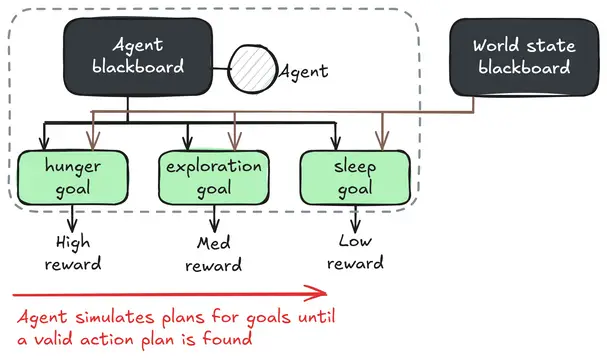

An advanced game AI framework, based on Goal Oriented Action Planning (GOAP), and implemented in Godot.**NOTE: The Godot Asset Library tries to import this addon at the top folder of your project because I have set it up to be better as a git submodule. If installing through the asset library, make sure to click *Change Install Folder* and put the addon in `addons/GdPlanningAI`.**
Qualia's Basic Multipurpose Import Script
An asset by qualia6
Quick Information

Qualia's Basic Multipurpose Import Script
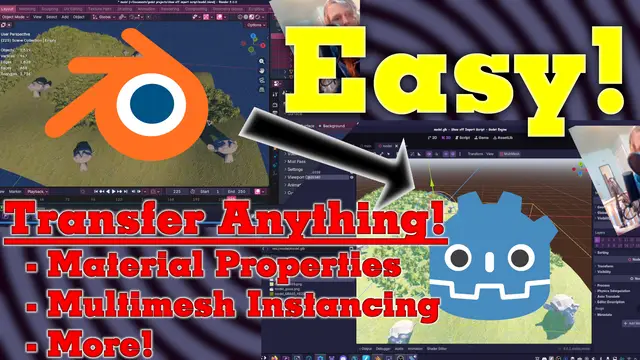
A minimal multipurpose import script.Lets you edit various properties of models exported from blender that you can not traditionally do with the advanced import settings.=== Objectives ===-> Change any property when an object or material as it's imported into godot automatically based on custom property in blender-> Allow for using multimesh-> Optionally change the root node to some child== Install Instructions ==1. Install normally from asset library2. Project > Project Settings > Import Defaults > Importer: Scene > Import Script > Path > set to: res://addons/QImportScript/q_import_script.gd (this will make this apply to all new imported models)3. For all existing models: model's normal import settings > Import Script > Path > set to: res://addons/QImportScript/q_import_script.gd4. Detailed usage instructions are inside of a comment in the script
Supported Engine Version
4.5
Version String
1.1.1
Support Level
community
Modified Date
2 months ago
Git URL
Issue URL
A minimal multipurpose import script. Lets you edit various properties of models exported from blender that you can not traditionally do with the advanced import settings. === Objectives === -> Change any property when an object or material as it's imported into godot automatically based on custom property in blender -> Allow for using multimesh -> Optionally change the root node to some child == Install Instructions == 1. Install normally from asset library 2. Project > Project Settings > Import Defaults > Importer: Scene > Import Script > Path > set to: res://addons/QImportScript/q_import_script.gd (this will make this apply to all new imported models) 3. For all existing models: model's normal import settings > Import Script > Path > set to: res://addons/QImportScript/q_import_script.gd 4. Detailed usage instructions are inside of a comment in the script
Reviews
0 total reviews
Quick Information
Qualia's Basic Multipurpose Import Script
A minimal multipurpose import script.Lets you edit various properties of models exported from blender that you can not traditionally do with the advanced import settings.=== Objectives ===-> Change any property when an object or material as it's imported into godot automatically based on custom property in blender-> Allow for using multimesh-> Optionally change the root node to some child== Install Instructions ==1. Install normally from asset library2. Project > Project Settings > Import Defaults > Importer: Scene > Import Script > Path > set to: res://addons/QImportScript/q_import_script.gd (this will make this apply to all new imported models)3. For all existing models: model's normal import settings > Import Script > Path > set to: res://addons/QImportScript/q_import_script.gd4. Detailed usage instructions are inside of a comment in the script
Supported Engine Version
4.5
Version String
1.1.1
Support Level
community
Modified Date
2 months ago
Git URL
Issue URL
Related Assets
More in Scripts

Replicate Operating System key presses and release into Godot.Useful if there is a need to listen key press/release when Godot window is not focus. Examples:- Overlays (like Steam and Discord show overlays)- Streaming software (like OBS Studio use to change scenes)- VTuber software (change character state)Compatibility with Linux (X11) and Windows.


JavaScript Signals for Godot! Vue, Solid.js, Qwik like syntax in Godot.Make your code reactive!


Godot PostgreSQL Client is a GDscript script / class that allows you to connect to a Postgres backend and run SQL commands there. It is able to send data and receive it from the backend. Useful for managing player user data on a multiplayer game, by saving a large amount of data on a dedicated Postgres server from GDscript.The class is written in pure GDScript which allows it not to depend on GDExtention. This makes it ultra portable for many platforms.Detailed documentation: https://github.com/Marzin-bot/PostgreSQLClient/wiki/Documentation