


This addon adds a container, that can have multiple tabs, which the user can change by swiping left or right on the screen. It is based on the ScrollContainer node.Getting Started:• Download the addon and place it into your project directory, either manually, or through the Asset Store• Activate it in the Project Settings ("Plugins" tab)• Add a BetterTabContainer node to a scene. It is recommended that it is either set to full rect or has a "Fill" horizontal size flag• Add multiple nodes to it. Each child node counts as a separate tab, it can be any type of Control node. Please ignore the "ScrollContainer can only have one node" warning, I am actively trying to get rid of it• Done!Customizing the Node:• You can set the "Current Tab" property in the inspector. By default, it is set to 0, meaning the first tab is active on start• You can connect the "tab_switched" signal to another node to detect when it's changed• If you want to change the tab through code (for example, if you have a list of tab buttons next to the container), you can call the switch_tab(tab) method• You might also want to hide the horizontal scroll bar, as it does nothing• If you want to be able to swipe on tabs, make sure to set all of the children containers' mouse filter to "Pass", so it detects input
SmartShape2D - Godot 4
An asset by SirRamESQ
Quick Information

SmartShape2D - Godot 4
This plugin allows you to create nicely textured 2D polys. Simply place a few points then create / assign the shape material, and you should have a good-looking polygon.The textures used are similar to what you would use if making terrain using TileMap/TileSetSee Homepage here:https://github.com/SirRamEsq/SmartShape2DUsing SmartShape2D with Godot 4:https://github.com/SirRamEsq/SmartShape2D/blob/master/addons/rmsmartshape/documentation/Godot4.mdSmartShape2D + Aseprite tutorial can be found here (Thanks Picster!):https://www.youtube.com/watch?v=r-pd2yuNPvA
Supported Engine Version
4.3
Version String
3.3.2
Support Level
community
Modified Date
3 days ago
Git URL
Issue URL
SmartShape2D


About


This is the GODOT 4 version of this plugin. If you're looking for the GODOT 3 version, please go here
This plugin allows you to create nicely textured 2D polys. Simply place a few points then create / assign the shape material and you should have a good looking polygon.
The textures used are similar to what you would use if making terrain using TileMaps/TileSets
If you find any issues, by all means let us know. Read the section below on Contributing and post an issue if one doesn't already exist
If you enjoy this tool and want to support its development, I'd appreciate a coffee :)

Support
- Newest version is developed and supported for Godot 4.x
- For Godot 3.x version, please go here. This version is no longer maintained.
Documentation
[!WARNING] Some documentation is largely outdated.
Refer to the in-engine documentation as far as possible.
If you can't see SS2D nodes in the F1 help search or documentation does not appear when hovering over properties, re-save the respective script. See #72406 and #86577. This should be fixed in Godot 4.5.
- How To Install
- Quick Start
- Using SmartShape2D with Godot 4
- Shapes
- Toolbar
- Resources
- Normals
- Controls and Hotkeys
- FAQ
- Version History
Video Tutorials
[!WARNING] These tutorials are for Godot 3, and some things are different now. Please, check using SmartShape2D with Godot 4.
SmartShape2D + Aseprite tutorial can be found here (Thanks Picster!):
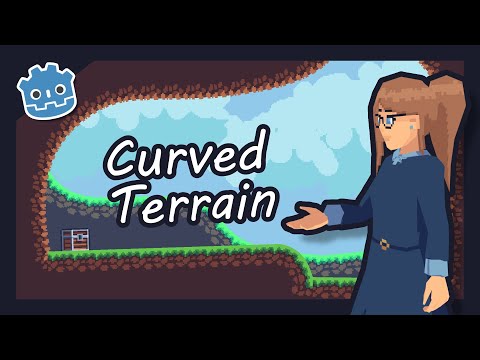
SmartShape2D tutorial can be found here (Thanks LucyLavend!):
Contributing
Issues
If you have any suggestions or find any bugs, feel free to add an issue.
Please include the following three bits of information in each issue posted:
- Bug / Suggestion
- Godot Version
- SmartShape2D Version
Some Guidelines for Issues:
- Attaching a sample project where the issue exists is the fastest way for us to see what's going on
- Try to be as descriptive as possible
- Pictures and screenshots will also be very helpful
Issues can be added here
Development
We have a set of tests we run against the code (courtesy of GUT).
If making a merge request, please ensure that the tests pass. If the tests have been updated appropriately to pass, please note this in the merge request.
Discord
We have a Discord server for the plugin. https://discord.gg/mHWDPBD3vu
Here, you can:
- Ask for help
- Showcase your project
- Speak with the developers directly
This plugin allows you to create nicely textured 2D polys. Simply place a few points then create / assign the shape material, and you should have a good-looking polygon. The textures used are similar to what you would use if making terrain using TileMap/TileSet See Homepage here: https://github.com/SirRamEsq/SmartShape2D Using SmartShape2D with Godot 4: https://github.com/SirRamEsq/SmartShape2D/blob/master/addons/rmsmartshape/documentation/Godot4.md SmartShape2D + Aseprite tutorial can be found here (Thanks Picster!): https://www.youtube.com/watch?v=r-pd2yuNPvA
Reviews
0 total reviews
Quick Information
SmartShape2D - Godot 4
This plugin allows you to create nicely textured 2D polys. Simply place a few points then create / assign the shape material, and you should have a good-looking polygon.The textures used are similar to what you would use if making terrain using TileMap/TileSetSee Homepage here:https://github.com/SirRamEsq/SmartShape2DUsing SmartShape2D with Godot 4:https://github.com/SirRamEsq/SmartShape2D/blob/master/addons/rmsmartshape/documentation/Godot4.mdSmartShape2D + Aseprite tutorial can be found here (Thanks Picster!):https://www.youtube.com/watch?v=r-pd2yuNPvA
Supported Engine Version
4.3
Version String
3.3.2
Support Level
community
Modified Date
3 days ago
Git URL
Issue URL
Related Assets
More in 2D Tools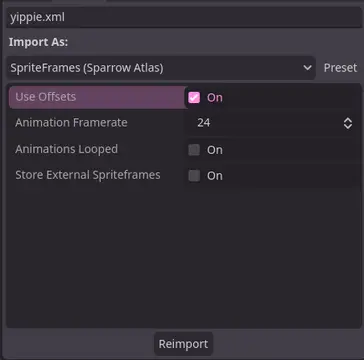

A Godot addon that adds a ResourceImporter for the Sparrow Texture Atlas XML Format.


TileBitTools is a Godot 4 plugin for autotile templates and terrain bit editing.- Built-in autotile templates for all 3 terrain modes* 3x3 minimal, 3x3 16-tile and 2x2 templates from Godot 3 documentation* Blob, Wang and Wang 3-terrain templates to match Tilesetter's default export* 256-tile Corners and Sides templates from TilePipe2 (requires plugin for use)* Simple 9- and 4-tile templates- Custom user template creation- Bulk terrain bit editing buttons: Fill, Set Bits, and Clear- Customization options in Project SettingsSee github.com/dandeliondino/tile_bit_tools for full Readme and Wiki documentation


A smooth, feature-rich top-down camera plugin for Godot.Effortlessly pan and zoom your 2D game scenes with intuitive controls and configurable boundaries.Ideal for strategy and simulation games, with camera controls inspired by titles like Hearts of Iron and Stacklands.Main Features- Smooth Cursor-Centric Zoom & PanSeamlessly zoom in and out towards the mouse cursor, with smooth camera movement and interpolation for a polished feel.- Visual Boundary ConfigurationEasily set and visualize camera movement limits in the editor.- Edge ScrollingAutomatically pan the camera when the mouse approaches the screen edges.- Keyboard ControlMove the camera with keyboard input.