

This addon adds a container, that can have multiple tabs, which the user can change by swiping left or right on the screen. It is based on the ScrollContainer node.Getting Started:• Download the addon and place it into your project directory, either manually, or through the Asset Store• Activate it in the Project Settings ("Plugins" tab)• Add a BetterTabContainer node to a scene. It is recommended that it is either set to full rect or has a "Fill" horizontal size flag• Add multiple nodes to it. Each child node counts as a separate tab, it can be any type of Control node. Please ignore the "ScrollContainer can only have one node" warning, I am actively trying to get rid of it• Done!Customizing the Node:• You can set the "Current Tab" property in the inspector. By default, it is set to 0, meaning the first tab is active on start• You can connect the "tab_switched" signal to another node to detect when it's changed• If you want to change the tab through code (for example, if you have a list of tab buttons next to the container), you can call the switch_tab(tab) method• You might also want to hide the horizontal scroll bar, as it does nothing• If you want to be able to swipe on tabs, make sure to set all of the children containers' mouse filter to "Pass", so it detects input
Tree Maps - Graphs and Skill Trees
An asset by ToxicStarfall
Quick Information

Tree Maps - Graphs and Skill Trees
Tree Maps provides useful nodes and functionality to help create graphical maps of tree-like node structures.Designed for creating skill & technology trees.See repository for details and examples.
Supported Engine Version
4.5
Version String
2.0
Support Level
community
Modified Date
28 days ago
Git URL
Issue URL
Tree Maps - Graphs and Skill Trees
Tree Maps provides useful nodes and functionality to help create graphical maps of tree-like node structures.
Perfect for skill trees, technology trees, and or dungeon maps.

Godot Asset Library - Releases
About
One day while trying to make a very large technology tree, I found that I was having trouble creating a system which would allow me quickly expand and add lots of different upgrades and paths. To simplify this process I decided to create Tree Maps in order to adress some of the complications behind creating tech/skill trees.Currently, this remains a very simple addon, however I plan to continue adding features in order to help with creating fully fledged skill and technology trees.
Download & Installation
There are two options to install this addon:- Through the built-in AssetLib tab in Godot.
- Downloading manually, unpack it, and put it in your project's "addons" folder.
Option 1 - Download through Godot's AssetLib tab
Note: The addon may still be pending in the Asset Library.- Simply open your Godot project, select the "AssetLib" tab, and search "TreeMap"
- Select it and download, then install. Afterwards simply enable it in ProjectSettings's Plugins tab.
Option 2 - Download manually
- Go to repository and download a release (tree-maps-addon.zip)
- Unpack the zip (make sure you don't duplicate the root folder)
- Simply move the addon (tree-maps) to the addons folder of your project's root (create one if your missing it).
Usage
This addon adds two new custom nodes which both inherit from Node2D: TreeMap and TreeMapNode
Starting in 2D view, add a new TreeMap to your scene, positioned at the origin.
Note: Positioning the
TreeMapnode anywhere else will effect drawing ofTreeMapNodes. Will be fixed later.
TreeMap comes with several custom properties in the Inspector.
By default, these properties will be passed down to any children TreeMapNodes.
These properties will effect how TreeMapNode childs will be displayed and/or interact.
From here, you can now add TreeMapNode as a child of the TreeMap, see Main Tools
for the "Add Nodes" tool.
Note: You can add nodes manually, however you will have to refresh the Scene Tree (Reload scene, or Open and Close the scene).
Note: It is highly recommended to have
TreeMapNodebe children ofTreeMap. By continueing withoutTreeMap, there WILL be errors.
Editing any properties within the "Overrides" section will result in that TreeMapNode having its own
property seperate from its parent TreeMap. To reset it to its default inherited property, simply
reset the property normally.
Upon selecting a TreeMap or TreeMapNode, you can see in the tool bar at the top will change,
showing some new tool buttons. These will allow you to edit your TreeMapNode(s)
Main Tools
Tip: Right click to disable the active main tool.Note: When activating a tool, the currently selected node is your main node, from which tools will act from. Selecting another node while your tool is active will make that the target node. To select a different node to edit from, simply deactivate the tool, then select your new node and reactivate the tool.
- Edit Connections: Click to create connection. If there is a existing connection, remove it instead. If there is a existing connection poiting towards the selected node, swap pointing direction.
- Add Nodes - Creates a new
TreeMapNodeat mouse click. - Remove Nodes - Removes the selected node.
Modifiers
These tools change the way Main Tools behave.- Chaining - selects the targeted node after using a tool (if applicable).
- Lock/Unlock (WIP) - disables editing of the selecetd node(s).
Miscellaneous
- Reset (WIP) - resets the selected node's properties to the default inherited values.
- Info (WIP) - Shows helpful info
Examples
Demo video
https://github.com/user-attachments/assets/fbfc2732-9639-446d-b620-4464e99fa997
What's Next?
Currently there is a somewhat limited amount of customization options available for TreeMap and TreeMapNode.I still plan to continue adding some more customization features along with more helpful tools. I already have several in mind.
However, if you find that there is a missing feature you want, this is where you can extend the TreeMapNode class and add your own code!
If you think it could be a core feature, feel free to create a issue in the repository.
Planned Features
TreeMap- Min/Max line length - prevent node placement or movement within min/max distance of another node.
- NodeInstance - use your own extended node for the "Add Nodes" tool.
Potential Features
These features are still being decided on. If enough people really want this, I will consider adding.- Bezier curves, and Arcs
Tree Maps provides useful nodes and functionality to help create graphical maps of tree-like node structures. Designed for creating skill & technology trees. See repository for details and examples.
Reviews
0 total reviews
Quick Information
Tree Maps - Graphs and Skill Trees
Tree Maps provides useful nodes and functionality to help create graphical maps of tree-like node structures.Designed for creating skill & technology trees.See repository for details and examples.
Supported Engine Version
4.5
Version String
2.0
Support Level
community
Modified Date
28 days ago
Git URL
Issue URL
Related Assets
More in 2D Tools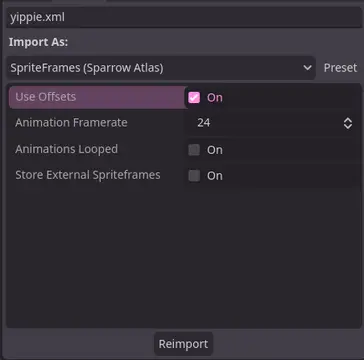

A Godot addon that adds a ResourceImporter for the Sparrow Texture Atlas XML Format.


TileBitTools is a Godot 4 plugin for autotile templates and terrain bit editing.- Built-in autotile templates for all 3 terrain modes* 3x3 minimal, 3x3 16-tile and 2x2 templates from Godot 3 documentation* Blob, Wang and Wang 3-terrain templates to match Tilesetter's default export* 256-tile Corners and Sides templates from TilePipe2 (requires plugin for use)* Simple 9- and 4-tile templates- Custom user template creation- Bulk terrain bit editing buttons: Fill, Set Bits, and Clear- Customization options in Project SettingsSee github.com/dandeliondino/tile_bit_tools for full Readme and Wiki documentation


A smooth, feature-rich top-down camera plugin for Godot.Effortlessly pan and zoom your 2D game scenes with intuitive controls and configurable boundaries.Ideal for strategy and simulation games, with camera controls inspired by titles like Hearts of Iron and Stacklands.Main Features- Smooth Cursor-Centric Zoom & PanSeamlessly zoom in and out towards the mouse cursor, with smooth camera movement and interpolation for a polished feel.- Visual Boundary ConfigurationEasily set and visualize camera movement limits in the editor.- Edge ScrollingAutomatically pan the camera when the mouse approaches the screen edges.- Keyboard ControlMove the camera with keyboard input.