

Plugin to add grass and plants to your scene in a simple way
Ed's Mesh Builder
An asset by [email protected]
Quick Information

Ed's Mesh Builder
Quickly build 3D meshes via basic shapes and self-created shapes
Supported Engine Version
4.0
Version String
4.0
Support Level
testing
Modified Date
3 years ago
Git URL
Issue URL
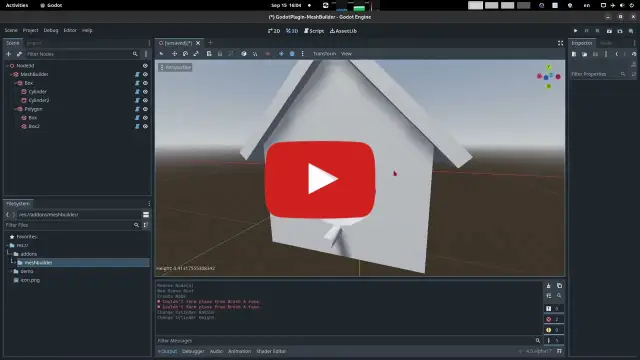
MeshBuilder (Godot Plugin)
This is a Godot 4 plugin to quickly build 3D meshes via basic CSG shapes and community-created CSG shapes

How to use
- Use Godot 4
- Add the
meshbuilderfolder into your Godot addons folder (res://addons/meshbuilder) - Enable the addon in
Project/Project Settings/Plugins - Add a
MeshBuildernode to your scene - Select the
MeshBuildernode to start building - Once your done, you can
Finalizeyour work to convert it to aMeshInstance3D
Basic Tab
- Add basic shapes (Polygon, Cone, Cube, Cylinder, Sphere, Half-Sphere, Torus, Ring)
- Click
Finalizebutton to convert your mesh once you're done
Community Tab
- Add complex shapes created by the community (Chair, Table, Bird House, Bucket...)
- Use the
Searchfield to search through the list of existing shapes - Click
Publishbutton to publish your mesh and make it available to the rest of the community - Click
Finalizebutton to convert your mesh once you're done
Publishing
- In
Communitytab, by clickingPublishbutton you are asked to confirm that you are OK with making that shape available to the public - Once you do, I (Edouard) will verify the shape you published and add it to the database of community shapes
- When I am done, everyone will be able to see your new shape in the
Communitytab !
Quickly build 3D meshes via basic shapes and self-created shapes
Reviews
0 total reviews
Quick Information
Ed's Mesh Builder
Quickly build 3D meshes via basic shapes and self-created shapes
Supported Engine Version
4.0
Version String
4.0
Support Level
testing
Modified Date
3 years ago
Git URL
Issue URL
Related Assets
More in 3D Tools

Adds jiggle physics to a Skeleton3D bone using SkeletonModifier3D nodes.DMWBWiggleRotationModifier3D: Rotates the bone around the current bone pose. The current pose direction acts as the spring's rest position.DMWBWigglePositionModifier3D: Moves the bone around the current bone pose without rotating. The current pose position acts as the spring's rest position.

A high performance, editable terrain system for Godot 4.4+ written in C++ as a GDExtension plugin.Features:* GPU driven, Clipmap Mesh Terrain* Can be accessed by GDScript, C#, and any language Godot supports* Terrains as small as 64x64m up to 65.5x65.5km* Up to 32 textures* Up to 10 levels of detail for the terrain* Foliage instancing w/ 10 levels of detail* Sculpting, holes, texture painting, texture detiling, painting colors and wetness* Imports heightmaps from other toolsRelease Notes:https://github.com/TokisanGames/Terrain3D/releases/tag/v1.0.2-stableRequirements:* This build works on Godot 4.4-4.6+ in Windows, Linux, macOS, and mobile.* Mobile, MacOS, D3D12, Web read special notes:https://terrain3d.readthedocs.io/en/stable/docs/platforms.htmlInstallation:After installation, restart, then enable the plugin in Project Settings/Plugins. See full Installation & Upgrade instructions:https://terrain3d.readthedocs.io/en/stable/docs/installation.htmlRead all documentation here and watch the tutorial videos.https://terrain3d.readthedocs.io/en/stable/index.html

A add-on which can quickly be added to your 3D project to have a spring based grappling hook system similar to Unity