

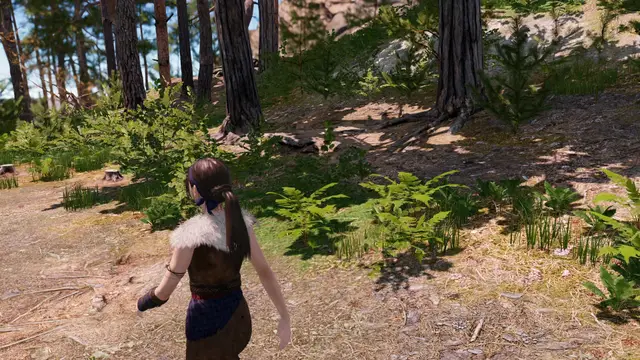

A high performance, editable terrain system for Godot 4.4+ written in C++ as a GDExtension plugin.Features:* GPU driven, Clipmap Mesh Terrain* Can be accessed by GDScript, C#, and any language Godot supports* Terrains as small as 64x64m up to 65.5x65.5km* Up to 32 textures* Up to 10 levels of detail for the terrain* Foliage instancing w/ 10 levels of detail* Sculpting, holes, texture painting, texture detiling, painting colors and wetness* Imports heightmaps from other toolsRelease Notes:https://github.com/TokisanGames/Terrain3D/releases/tag/v1.0.2-stableRequirements:* This build works on Godot 4.4-4.6+ in Windows, Linux, macOS, and mobile.* Mobile, MacOS, D3D12, Web read special notes:https://terrain3d.readthedocs.io/en/stable/docs/platforms.htmlInstallation:After installation, restart, then enable the plugin in Project Settings/Plugins. See full Installation & Upgrade instructions:https://terrain3d.readthedocs.io/en/stable/docs/installation.htmlRead all documentation here and watch the tutorial videos.https://terrain3d.readthedocs.io/en/stable/index.html
HEGo - Houdini Engine for Godot
An asset by pprickarz
Quick Information

HEGo - Houdini Engine for Godot
A C++ GDExtension that integrates Houdini Engine into Godot 4, enabling procedural content generation using Houdini Digital Assets (HDAs) with a scriptable API.THIS NEEDS A COMMERCIAL HOUDINI LICENSE TO RUN AT THIS MOMENTWIKI:https://github.com/peterprickarz/hego/wikiFEATURES:Scriptable API: Built with GDScript integration in mind for maximum flexibilityMultiple Node Types: Support for geometry input, curve input, and HDA asset nodesSession Management: Multiple session types (in-process, TCP, named pipes, shared memory)Bidirectional Data Flow: Convert between Godot and Houdini geometry formatsParameter Management: Automatic type conversion between Godot Variant and HAPI typesMesh Generation: Generate Godot meshes, instances, and scene nodes from Houdini
Supported Engine Version
4.4
Version String
0.5.2
Support Level
community
Modified Date
1 year ago
Git URL
Issue URL

HEGo - Houdini Engine in Godot
A C++ GDExtension that integrates Houdini Engine into Godot 4, enabling procedural content generation using Houdini Digital Assets (HDAs) with a scriptable API.
🚀 Getting Started
- 📦 Download Latest Release - Pre-built binaries for Windows
- 📖 Wiki - Complete documentation and guides
- 🎥 Introduction Video - Visual walkthrough
Quick Install
Option 1: Git Submodule (Recommended)
# Add HEGo as a submodule in your Godot project
git submodule add -b release https://github.com/peterprickarz/hego.git addons/hego
git submodule update --init --recursive
Option 2: Manual Download
- Download the latest release
- Extract to your Godot project's
addons/folder - Enable the plugin in Project Settings
Note: The
releasebranch is automatically updated with each commit tomainand contains only the addon files, making it perfect for submodule use.
Features
- Scriptable API: Built with GDScript integration in mind for maximum flexibility
- Multiple Node Types: Support for geometry input, curve input, and HDA asset nodes
- Session Management: Multiple session types (in-process, TCP, named pipes, shared memory)
- Bidirectional Data Flow: Convert between Godot and Houdini geometry formats
- Parameter Management: Automatic type conversion between Godot Variant and HAPI types
- Mesh Generation: Generate Godot meshes, instances, and scene nodes from Houdini
Requirements
- Houdini 20.5.654 - No license needed for building, active license required for runtime
- Godot 4.4+ - Stable or newer versions supported
Developer Setup
If you're interested in contributing read on, otherwise check out the Releases section for the latest version
Prerequisites
- Python 3.8+ with SCons:
python -m pip install scons - Visual Studio 2022 Community edition or higher
- Git for cloning and submodules
Quick Setup
Clone the repository
git clone https://github.com/peterprickarz/hego.git
cd hego
Initialize submodules
git submodule update --init --recursiveSet Houdini environment (optional)
set HFS=C:\Program Files\Side Effects Software\Houdini 20.5.654
Building
Option 1: VS Code (Recommended)
- Use Ctrl+Shift+P → "Tasks: Run Task" → "build"
Option 2: Command Line
- From VS2022 Developer Command Prompt:
scons - Or any terminal:
scons(if VS2022 is in PATH)
Build Options
scons target=template_debug    # Debug build
scons target=template_release  # Release build
scons -c                       # Clean build
VS Code Configuration
If the build task fails, update .vscode/tasks.json:
{
  "version": "2.0.0",
  "tasks": [
    {
      "label": "build",
      "group": "build",
      "type": "shell",
      "command": "cmd",
      "args": [
        "/c",
        "\"C:\\Program Files\\Microsoft Visual Studio\\2022\\Community\\VC\\Auxiliary\\Build\\vcvarsall.bat\" x64 && scons"
      ],
      "problemMatcher": "$msCompile"
    }
  ]
}
Output: Built library appears in demo/addons/hego/bin/
Get Help
If you have any questions or problems, feel free to message me on X where I will try to help as much as I can.
Shoutouts
- Big thanks to https://ambientcg.com/ and https://freestylized.com/ for providing CC0 textures I used in the demo project.
- There's also a houdini2godot plugin made by Mandrake0 which allows to export Godot scenes directly from Houdini.
A C++ GDExtension that integrates Houdini Engine into Godot 4, enabling procedural content generation using Houdini Digital Assets (HDAs) with a scriptable API. THIS NEEDS A COMMERCIAL HOUDINI LICENSE TO RUN AT THIS MOMENT WIKI: https://github.com/peterprickarz/hego/wiki FEATURES: Scriptable API: Built with GDScript integration in mind for maximum flexibility Multiple Node Types: Support for geometry input, curve input, and HDA asset nodes Session Management: Multiple session types (in-process, TCP, named pipes, shared memory) Bidirectional Data Flow: Convert between Godot and Houdini geometry formats Parameter Management: Automatic type conversion between Godot Variant and HAPI types Mesh Generation: Generate Godot meshes, instances, and scene nodes from Houdini
Reviews
0 total reviews
Quick Information
HEGo - Houdini Engine for Godot
A C++ GDExtension that integrates Houdini Engine into Godot 4, enabling procedural content generation using Houdini Digital Assets (HDAs) with a scriptable API.THIS NEEDS A COMMERCIAL HOUDINI LICENSE TO RUN AT THIS MOMENTWIKI:https://github.com/peterprickarz/hego/wikiFEATURES:Scriptable API: Built with GDScript integration in mind for maximum flexibilityMultiple Node Types: Support for geometry input, curve input, and HDA asset nodesSession Management: Multiple session types (in-process, TCP, named pipes, shared memory)Bidirectional Data Flow: Convert between Godot and Houdini geometry formatsParameter Management: Automatic type conversion between Godot Variant and HAPI typesMesh Generation: Generate Godot meshes, instances, and scene nodes from Houdini
Supported Engine Version
4.4
Version String
0.5.2
Support Level
community
Modified Date
1 year ago
Git URL
Issue URL
Related Assets
More in 3D Tools

Adds jiggle physics to a Skeleton3D bone using SkeletonModifier3D nodes.DMWBWiggleRotationModifier3D: Rotates the bone around the current bone pose. The current pose direction acts as the spring's rest position.DMWBWigglePositionModifier3D: Moves the bone around the current bone pose without rotating. The current pose position acts as the spring's rest position.
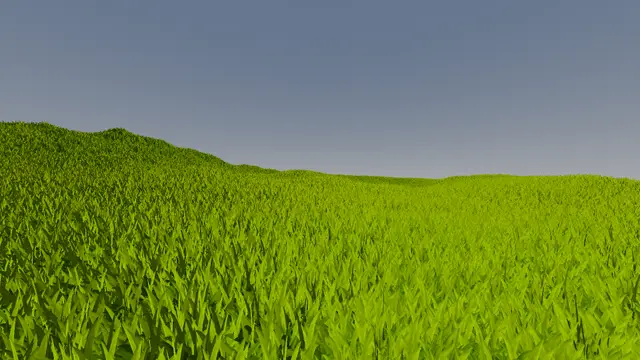

Plugin to add grass and plants to your scene in a simple way
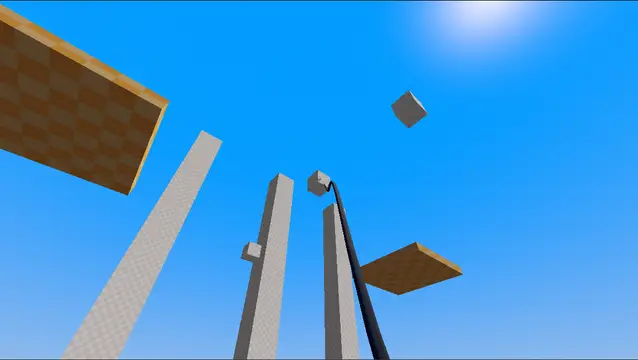

A add-on which can quickly be added to your 3D project to have a spring based grappling hook system similar to Unity