POM is addon that helps to create illusion of depth using instances of multimeshinstance3d node as layers and heightmap texture as alpha channel for each layer. It is similar to "StandardMaterial3D's Deep Parallax" but with better depth effect .
This plugin is designed to help populate a level with foliage, objects with or without collision, and scenes, rather than having to place them by hand.
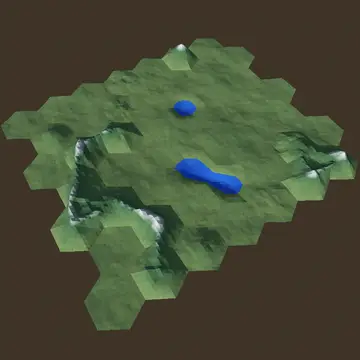
Sota is a framework for creation of structures made of discrete building blocks, e.g. terrains for turn-based games, honeycombs, etc. By using trivial objects like hexagon or pentagon and organizing them into combination it let you create aggregations like hexagonal grid of various shape, e.g rectangular or hexagonal, or polyhedron made of hexagons and 12 pentagons.https://sota.readthedocs.io/en/latest/content/getting_started/introduction.html
# "Immersive" First Person Controller v1.3.1A first-person controller designed for slower paced, "immersive sim"-like control. The behaviour is done through a finite state machine. I just wanted to learn the pattern and make something useful at the same time. Feel free to contribute or submit issues :)## How to usePlayer.tscn contains the player character scene. Copy it to whichever scene, where you need it. Climbing should work with any horizontal surface, no special setup necessary.### Controls- [W][A][S][D] = move- [Shift] = hold to sprint- [C] = toggle crouch or slide (when sprinting)- [Space] = jump, hold near ledge while falling to grab## Features### Existing features- Basic movement (i.e. walking, running, jumping)- Crouching- Sliding- Climbing### Planned features- GUI for changing character-related values more conveniently- More customization (view bobbing, custom crosshair, etc.)- Controller support- Customizable animations for climbing
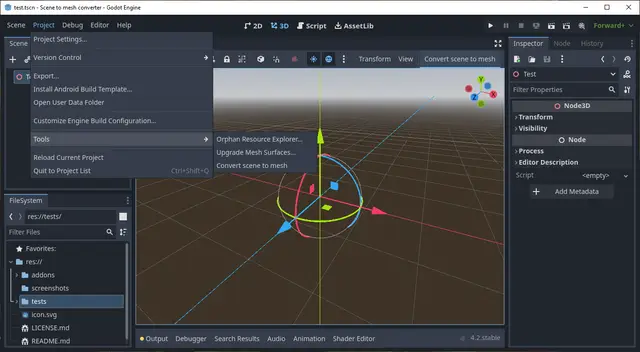
The scene to mesh converter allow you to convert a complex scene to a single mesh. Select the scene to convert in the scene tree and then either push the "Convert scene to mesh" button or use the "Convert scene to mesh" menu item from the Tools menu.Note: Help improve this plugin through reporting bugs and improvments to the Github repo.
Making a good camera for a game is complicated and can get very convoluted, this addon provides a framework to help handle this complexity in a modular fashion, more precisely, it allows you to:-Define multiple behaviours for the camera that can be changed at runtime.-Automatically interpolate between these behaviours.-Keep track of what behaviour the camera should follow via a priority system.-Add extra effects like camera shake via modifiers, which work kind of like components in an ECS.DISCLAIMER: This addon was NOT made with performance in mind.This shouldn't be a problem since there's usually only 1 camera in a game at all times.
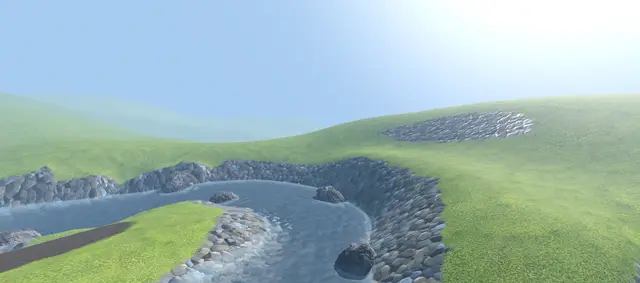
It is a port to Godot 4/.NET 8.0 of a tool to generate river meshes with correct flow based on Bezier curves.Features1. Procedural river mesh generation using Bezier curves with width and in-out direction settings.2. Extensible water flow settings.3. Adjustable subdivision and smoothing settings.4. Special tool for river editing supporting snapping, local/global editing, axis-mapping, etc.5. Special node for easy water floating setup that provide water height and flow direction on any point of the river.6. Advanced water shaders included.
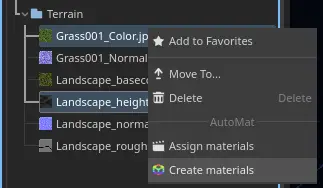
Plugin that allows to automatically assign materials to selected mesh files and create materials from selected textures, with automatic shader parameter assign.
This addon is a Godot helper addon for my blender addon which simplifies exporting objects from Blender into Godot.https://blendermarket.com/products/blender-godot-pipeline-addonDocs: https://blendermarket.com/products/blender-godot-pipeline-addon/docsThis addon includes:- GLTF Import GD script- Scene initialization GD scriptYou do not need to "Enable" the addon from project settings. This addon is simply a repository for the GD script files mentioned above.Under Project Settings -> Import Defaults -> Select "Scene" from Importer Dropdown -> Scroll down to "Import Script Path"From here you can load in the standard import path that comes with this addon:res://addons/blender_godot_pipeline/GLTFImporter.gdThis will ensure that all your GLTF or .blend files get the importer attached. You can attach the importer individually to files, if you don't want all files to be affected.
Adds fast Loop and Catmull-Clark Subdivision to Godot.There are three options for importing:- SubdivMeshInstance3D: Ability to change subdivision level easily for each instance- ImporterMesh: Bake at import- BakedSubdivMesh: Bake at runtime (everytime you open the scene)Blendshapes, skeletons and surface override materials are fully supported in all three options.You can use these in the custom Subdivision section in any scene importer.Supported Platforms:Linux, Windows, Android
See README.md for more details, and documentation on each tool object.## WHAT THIS TOOLKIT PROVIDES:- **Modules to work with hand poses:**- Create your own templates of hand poses as Resource, and use them for recognization.- Match tracked-hand pose to templates you created in realtime.- **Module for object picking:**- Defines where object can be picked and what hand pose allows picking.- Snapping object to hand when picked - Supports 3 pickup modes:+ *On pose change*: Change your hand pose to pick up object. Useful for grabbing gesture.+ *On touch*: The object gets picked up when touched+ *Ranged pickup*: Work like *On pose change*, but use Raycast. - A template for pickable objects. You can customize its behavior to fit your needs.## WHAT THIS TOOLKIT LACKS:- Pickup doesn't work with controllers. - Closest-object highlighting.- Good physics for hand.
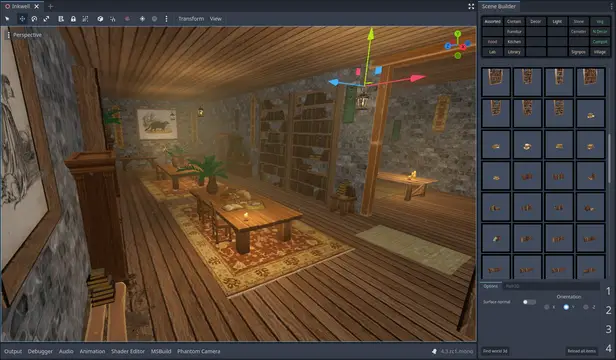
A level design system for efficiently building 3D scenes in Godot.Please see the README in the GitHub repository for more information.The version in the Asset Library will likely lag behind the GitHub repository, I recommend installing SceneBuilder as a submodule, then manage updates with Git.