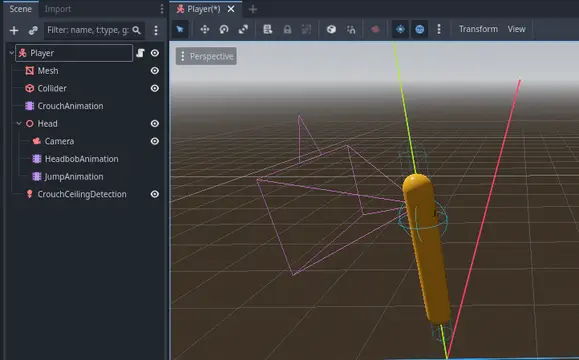
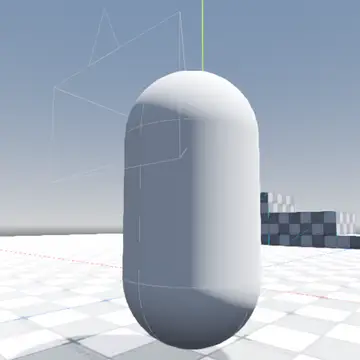
player controller with sprint and jump function.
This script operates a camera in a 'Transport Fever' way. And can be controlled by keys, mouse and mouse pad. Following features are implemented:- Movement LEFT/DOWN/UP/RIGHT (keys: 'A/S/W/D' /mouse[pad]: left/down/up/right with right button)- Pan CCW/CW (keys: 'Q/E' / mouse[pad]: left/right withmiddle button [key 'CTRL'])- Tilt UP/DOWN (keys: 'R/F' / mouse[pad]: up/down withmiddle button [key 'CTRL'])- Zoom OUT/IN (keys: 'Z/X' / mouse[pad]: scroll up/down [2point pinch/release])- Interlocking of contradictional movements- Optional edge scrolling LEFT/DOWN/UP/RIGHT and debuginformation- Configurable speeds/initial positions/limits/inversion ofmovement direction
A simple to use class that enables your CharacterBody3D to handle stairs and custom gravity direction properly.***### InstructionsUse my script template to understandUse instead move() instead of move_and_collide()Use local_velocity instead of velocity
A Character with a camera, movement and item detection: all into one. Written in C#.
This is the Godot OpenXR Vendors plugin which contains:- platform dependent loaders for Android based XR devices- implementations of vendor extensionsLearn more about this plugin here: https://godotvr.github.io/godot_openxr_vendors/Use this version for Godot 4.3 and up.
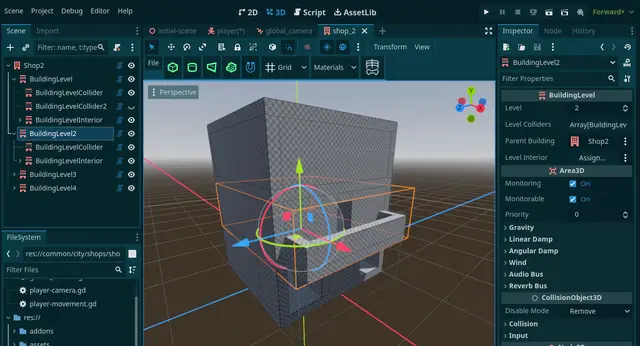
Building Culler allows you to manage the showing/hiding of upper levels of your 3D buildings when your character enters. This is useful for third-person games where the camera collisions make navigating interiors difficult.Add a Building node to denote your building, and create BuildingLevel nodes inside of it for each level of your building. All objects inside on your BuildingLevel's will have their visibility, physics, and processing culled if the player enters a floor that is lower than the associated floor.Don't forget to add a BuildingLevel for your roof, especially for single-story buildings, to cull the roof when the player enters.
Yet another multi mesh scatter.A simple MultiMesh plugin where you can place your meshes into your scene via a configurable polygon area.
This is a simple but flexible First Person Controller for your projects
Adds jiggle physics to a Skeleton3D bone using SkeletonModifier3D nodes.DMWBWiggleRotationModifier3D: Rotates the bone around the current bone pose. The current pose direction acts as the spring's rest position.DMWBWigglePositionModifier3D: Moves the bone around the current bone pose without rotating. The current pose position acts as the spring's rest position.
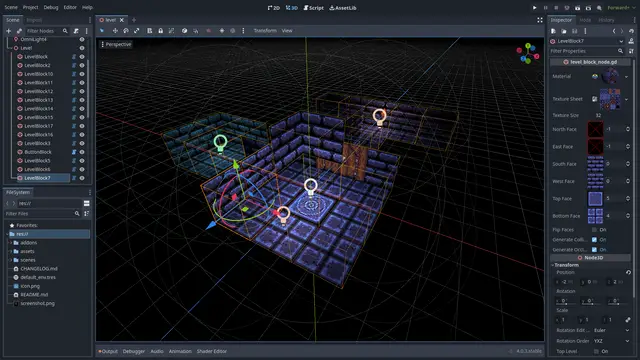
Create tile-based 3D levels for dungeon crawler -style games.See GitHub repository for more information:https://github.com/ReunMedia/godot-levelblock
3D Inverse Kinematics (IK) for Godot 4.3+!Supports scriptable constraints and multiple chains.
Enhance your audio capabilities in Godot with AudioStreamPlayerClipper3D. This plugin provides powerful audio clipping control, allowing you to precisely set the start and end points of your audio clips directly in 3D space, offering flexibility beyond Godot's native options.Why use this plugin?With AudioStreamPlayerClipper3D, you have full control over audio playback, with the ability to clip audio in real time and adjust it for various audio events in your game. This is especially useful for dynamic and repetitive sounds, like character footsteps, where you can alternate between different footsteps sounds and program the clip playback in a more natural and realistic way.Key FeaturesPrecise Audio Clipping – Set the exact start and end points of your audio clips.Footstep Sound Variation – Create dynamic footstep sounds by alternating between different audio clips for each movement of your character.Full Platform Support, including web, ensuring that your cuts and audio settings are preserved accurately across all platforms.Quick Testing in the Editor – Test the audio directly in the inspector without needing to run the game, making it easier to refine your sounds.Custom Playback Order – You can program the playback to play one audio channel at a time or play the clipped sounds in any order you prefer.Default Settings:use_channels = falsealternate_channel_by_play = falseaudio_channels = nullaudio_stream = nullvolume_db = 0.0max_db = 3.0unit_size = 10.0pitch_scale = 1.0panning_strength = 1.0max_polyphony = 1loop = falsemax_distance = 2000emission_angle_enabled = falseemission_angle_degrees = 45.0emission_angle_filter_attenuation_db = -24.0attenuation_model = AudioStreamPlayer3D.ATTENUATION_INVERSE_DISTANCEattenuation_filter_cutoff_hz = 5000attenuation_filter_dbattenuation_filter_db = -24.0doppler_tracking = AudioStreamPlayer3D.DOPPLER_TRACKING_DISABLEDarea_mask = 1pause = falseauto_play = falseplay = false