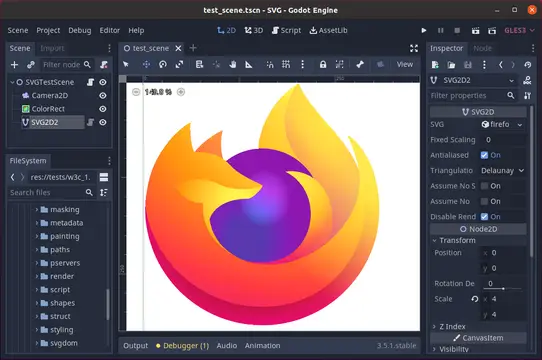
A realtime SVG rendering plugin for Godot that draws SVG paths on the GPU, allowing for infinite scaling with no additional performance cost for zooming in infinitely. When importing a SVG into your project, choose "Import As:" SVG. Then place a "SVG2D" node into your scene to render that SVG.This plugin is in Alpha testing.See full documentation at https://github.com/Giwayume/godot-svg#readmeReport bugs at https://github.com/Giwayume/godot-svg/issues
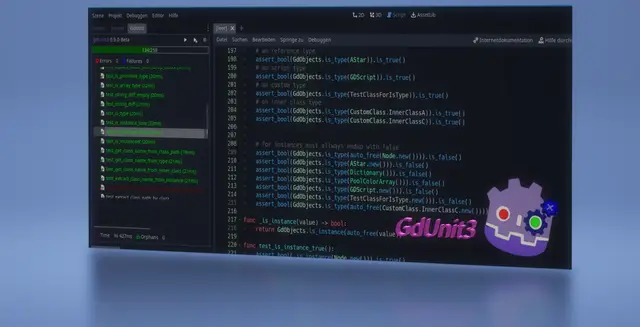
GdUnit3 is a framework for testing Gd-Scrips/C# and Scenes within the Godot editor. https://mikeschulze.github.io/gdUnit3/Features- Write and run tests in GdScript and full C# testing support- Embedded test Inspector in the Godot to navigate over your test suites- Run test-suite(s) by using the context menu on FileSystem, ScriptEditor or GdUnit Inspector- Create test’s directly from the ScriptEditor- A Configurable template for the creation of a new test-suite- A spacious set of Asserts use to verify your code- Argument matchers to verify the behavior of a function call by a specified argument type.- Fluent syntax support- Test Fuzzing support- Parameterized Tests (Test Cases)- Mocking a class to simulate the implementation which you define the output of certain function- Spy on a instance to verify that a function has been called with certain parameters.- Mock or Spy on a Scene- Provides a scene runner to simulate interactions on a scene - Simulate by Input events like mouse and/or keyboard - Simulate scene processing by a certain number of frames - Simulate scene proccessing by waiting for a specific signal - Simulate scene proccessing by waiting for a specific function result- Update Notifier to install latest version from GitHub- Command Line Tool- Visual Studio Code support by (GdUnit Test Explorer) extension- You are welcome to test in and send me your feedback- You are welcome to suggest improvements- You are welcome to report bugs
Plugin for easy screen transitions and node references. (More features to come in the future!)Just install and use it directly in your code:SceneManager.change_scene('res://demo/test.tscn')We also have more customization options!SceneManager.change_scene( 'res://demo/test2.tscn', { "pattern": "scribbles", "pattern_leave": "squares })You can now add references to single important nodes (like Player or Tilemap) for easy access without knowledge of your tree structure.SceneManager.get_entity("Player")Read the Wiki for more details https://github.com/glass-brick/Scene-Manager/wiki
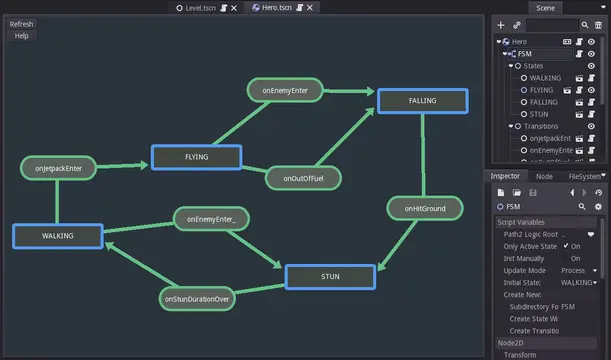
Finite state machine plugin for Godot. It allows you to setup your states easily inside your project. Basically it consist of "Finite state machine" node which is able to hold child nodes that are representing individual states and transitions. It's created with the ease of additional states creation in mind, it will create for you script files for states and transitions. The file will be created in special "FSM" folder inside directory that's holding currently edited scene.This plugin have also visual graph tool for creating fast fast prototyping :)For more info check Video, Github and FSM.gd readme section. If you are not sure what Finite Machine state is, you can read about them here: http://www.gameprogrammingpatterns.com/state.htmlKEEP IN MIND that while we are using this plugin and it should be well tested, we take no responsibility for any damage caused by this code. You should always use Version control systems in your project.
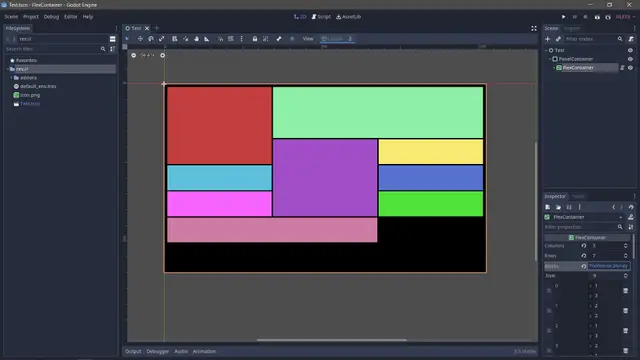
An adjustable flex container. It moves from left to right and top to bottom.By applying max rows and columns, blocks can be added as placeholder for control nodes. Sizing for blocks are represented by row(x) and column(y). See included test scene for implementation example.
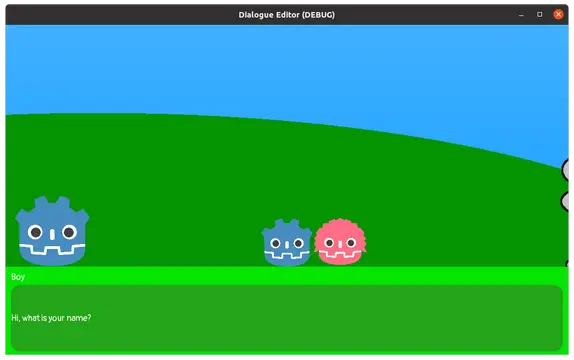
This is a Godot Editor plugin to manage dialogues in godot. The plugin allows you to quickly and easily manage all your actors and dialogues. You can also create your own dialog ui. Resources are assigned very easily using drag and drop. The assigned resources can be viewed in preview window, to check them. You can also test all your dialogues in preview mode with simple play system.Version: 1.3.9 export game bugfix
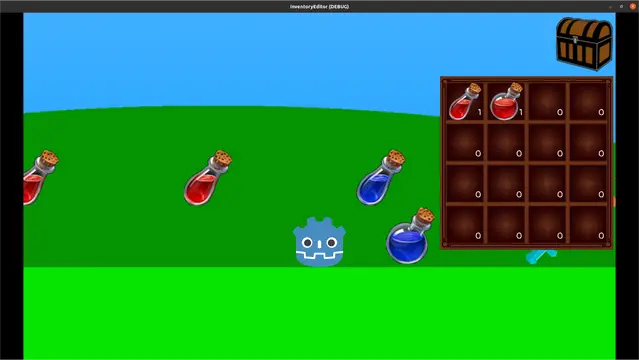
This is a Godot Editor plugin to manage inventories and items in godot. The plugin allows you to quickly and easily manage all your inventories and items. You can also create your own inventory and items ui. Resources are assigned very easily using drag and drop. The assigned resources can be viewed in preview window, to check them. You can also test all your inventories and items in preview mode.Version: 1.4.4 - QuestEditor support added (export game)
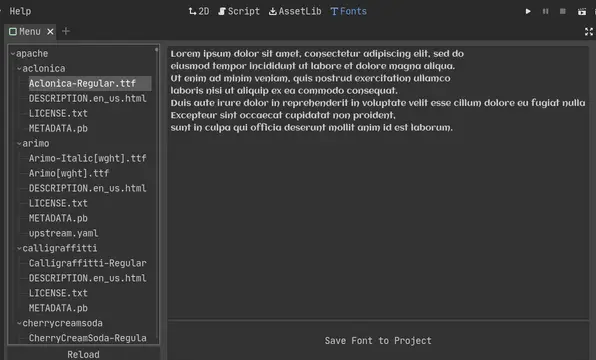
A simple addon/plugin for godot which allows you to browse all google fonts and download any of them to your project without leaving godot.The easiest installation is trout the godot asset library, but you may also clone/download this repository and unpack it into your project.Once enabled, you will have a new tab to view the fonts. Just click away and test them through the panel to the right. Use the save button on the bottom of the panel to download the font to the root directory of your project. You can put it wherever you like after that and even remove the plugin!
Quickly change and test Project Resolution settings.Useful to test and prevent your UI from being inconsistent in different resolutions.
Plugin that can run your project and pass some data from editor to your game. For example, you can run the game and spawn player at the position of cursor in the editor to quickly test parts of a level.Before using the plugin, you need to configure it first by editing "addons/CustomRunner/CustomRunner.gd" file, following the comments in the file. The interesting bit are 3 methods:_can_play_scene() - called when pressing the plugin shortcut (F7 by default). The current scene is passed to that method and if it returns true, the plugin will run the project. You can for example check if this scene is a Level class (if you have one)._gather_variables() - called before running the project from the plugin. Use add_variable() to add variables that you want to pass from editor to the game. By default it passes "scene" variable, which contains filename of the current scene. There's also an example line that adds current cursor position._get_game_scene() - return the main scene you want to run. This should be your "game" scene, i.e. scene that has player, HUD and instantiates the level etc. Leave empty to run the currently opened scene instead.After the project is started using the plugin, use CustomRunner.get_variable(variable_name) to retrieve the data passed from the editor. You can also use CustomRunner.is_custom_running() to check if the game is running using the plugin and data is available.Check the repository page for more info and example project.
GUT stands for Godot Unit Testing and...as you may guess, it is a tool for creating and running tests.Features* Run tests easily through the Godot Editor, Command Line, or VSCode.* A plethora of asserts and utility methods to help make your tests simple and concise.* Support for Inner Test Classes to give your tests some extra context and maintainability.* Doubling: Full and Partial doubles, Stubbing, Spies.* Parameterized Tests* Export results in standard JUnit XML format.* Distribute your tests with your project and run them on any platform Godot supports.More info can be found in the wiki: https://github.com/bitwes/Gut/wiki
Recreation of the Godot 3 editor's input map for in-game use.Features:- Most of what the editor's input map can do.- The ability to control whether the player can add actions, delete actions, add inputs, and delete inputs.- Ability to delete the default "ui" actions if you really want to for some reason.Not extensively tested, so please tell me if there are any bugs!