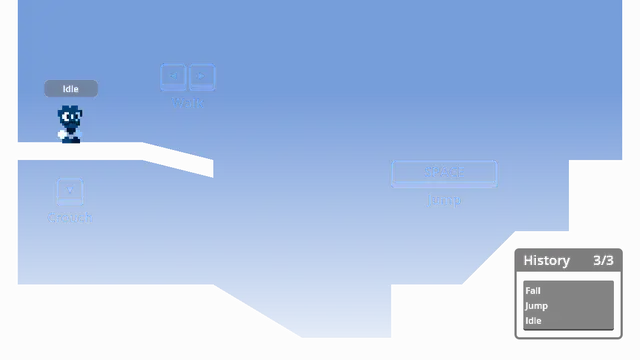
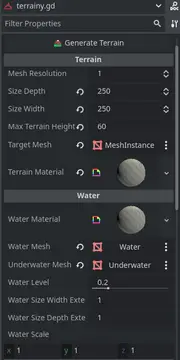
Puts the script list in a separate dock to make them always visible, and makes sure that even if you're in 2D/3D/AssetLib or some other view, by clicking on one of the script names it switches back to the script editor.
A simple plugin to allow the easy creation and use of destructible objects inside of Godot. Converts a shard mesh into a Node of mesh instances and custom generated collisions shapes, with each shard having its own rigid body. The shards can be generated either in game or before hand. Designed to be used in conjunction with Blenders cell fracture (or any other tool which can generate the required shard mesh). Further clarified in the README.
A 3D drop-in replacement for the Godot engine that adds stability and fluids. This version is deterministic, just not cross platform deterministic.This version has:- SIMD (Single instruction, multiple data) operations for even faster performance- parallel solving.
A 3D drop-in replacement for the Godot engine that adds stability and fluids. This version is cross platform deterministicThis version does NOT have:- SIMD (Single instruction, multiple data) operations for even faster performance- parallel solving.This version is more an advanced version and it's not for normal use cases.
Gizmo3D encapsulates the Godot Engines 3D move/scale/rotation gizmos into a customizable node for use at runtime. The major differences are that you can edit all transformations at the same time, and customization options have been added. The selection box and axes can be toggled, colors changed, snapping intervals changed, and more. Transformation methods can be easily overriden to customize the default behavior. It is available in both C# and GDScript.For usage, it's recommended to take a look at the demo project - note that to use the demo you will have to git clone the repo, since the artifact is setup for use with the Godot Asset Library.Gizmo3D is largely a port of C++ code from the Godot Engine source. The license for the Godot Engine can be found at https://godotengine.org/license/.
**Twitcher V2: Easily Add Twitch to Your Godot 4 Game!**Connect your Godot game or overlay to Twitch!* **Show Twitch Chat:** Display chat messages in your game.* **React to Events:** Make things happen when someone follows, subscribes, or uses channel points.* **Use the Twitch API:** Get user info, create clips, and much more.* **Handle Chat Commands:** Create custom commands like `!play` or `!info`.* **Easy Setup:** A helpful wizard guides you through connecting your Twitch account.* **Animated Emotes:** Supports showing Twitch's animated emotes (GIFs).Perfect for making interactive Twitch games and cool stream overlays. Full documentation available!
Note: To use this plugin, simply download it. You don't have to enable it in the plugins menuThe aim of this project is to integrate Python scripting into the Godot Engine, allowing developers to write scripts in Python instead of, or alongside, GDScript. This plugin enables the selection of Python as the scripting language when creating new scripts within Godot, providing an alternative for developers who are more comfortable with Python.Platform Compatibility:Please note that this plugin is currently only compatible with Windows 64-bit, Linux 64-bit and MacOS ARM64 systems. Ensure that you are working on one of these platforms to take full advantage of the Python scripting capabilities.Similarity to GDScript: The Python API is designed to be similar to GDScript, making it easier for developers familiar with GDScript to transition to or integrate Python into their projects.Getting Started:To start using Python in Godot: Install the Plugin: Download the plugin and install it in the addons folder Create Python Scripts: When creating a new script, select Python as the language. Refer to the Documentation: Look at the Github page for a short example of the api
Notification Scheduler Plugin allows scheduling of local notifications on the iOS platform.Installation Steps:- click `Download` button- on the installation dialog... -> keep `Change Install Folder` setting pointing to your project's root directory -> uncheck `Ignore asset root` checkbox -> click `Install` button- enable the addon via the Plugins tab of Project->Project Settings... menu, in the Godot Editor- enable the plugin via the iOS section of Project->Export... menu, in the Godot Editor
iOS In-app Review Plugin enables access to Apple App Store's in-app review functionality.Installation Steps:- click `Download` button- on the installation dialog... - leave your project's root directory selected as the target directory - uncheck `Ignore asset root` checkbox - click `Install` button- enable the plugin in your project's iOS export settings via `Project->Export...->iOS` in the Godot Editor- enable the plugin via the `Plugins` tab of `Project->Project Settings...` menu, in the Godot Editor
Godot iOS Share Plugin allows sharing of text and images on the iOS platform.- click `Download` button- on the installation dialog... - leave your project's root directory selected as the target directory - uncheck `Ignore asset root` checkbox - click `Install` button- enable the addon via the `Plugins` tab of `Project->Project Settings...` menu, in the Godot Editor- enable the plugin in your project's iOS export settings via `Project->Export...->iOS` in the Godot Editor
Deeplink plugin allows processing of iOS application links that enable direct navigation to requested app content.Installation Steps:- click `Download` button- on the installation dialog...-> keep `Change Install Folder` setting pointing to your project's root directory-> uncheck `Ignore asset root` checkbox-> click `Install` button- enable the addon via the Plugins tab of Project->Project Settings... menu, in the Godot Editor- enable the plugin via the iOS section of Project->Export... menu, in the Godot Editor
A GDscript port of Kate Compton's Tracery. Quoting directly from the the official website ( http://tracery.io/ ) : "Tracery is a super-simple tool and language to generate text. by GalaxyKate."