Realistic spatial acoustics for Godot 4, driven entirely by your level geometry.* Distance delay - sound reaches the player at the correct time based on speed of sound* Raycast reverb - reflection points are placed automatically at surrounding surfaces* Room size detection - reverb tail length adapts to the measured dimensions of the space* Occlusion filtering - walls between source and listener smoothly cut high frequencies* Proximity bass - low-end increases naturally as you approach a reflecting surface* Crack-free crossfading - dual-player A/B system avoids audio glitches when delay changes* Zero manual setup - extends AudioStreamPlayer3D , works with your existing collision geometry
Deeplink plugin allows processing of iOS application links that enable direct navigation to requested app content.Installation Steps:- click `Download` button- on the installation dialog...-> keep `Change Install Folder` setting pointing to your project's root directory-> uncheck `Ignore asset root` checkbox-> click `Install` button- enable the addon via the Plugins tab of Project->Project Settings... menu, in the Godot Editor- enable the plugin via the iOS section of Project->Export... menu, in the Godot Editor
The GBM2K (Grid Based Movement 2K) Framework is a Godot project that facilitates the creation of 2D grid-based games.
Tool that adds Labels with text autosizing capabilities.Find the instructions in the Github repo.For Godot 4.6.x
Advanced Vehicle System created by MilluThis template lets user to create fully customizable vehicles with ease, it provides custom VehicleBody3D instance with script for easy setup along with fully detailed documentation inside the script itself This script provides functions and settings like:Customizable Gearbox system with Manual and Automatic transmission with support of external shafterKeyboard, Gamepad and Steering wheel supportDrag and drop settings for easier vehicle setupVehicle lights systemCustomizable grip AI for vehicle oponentsVehicle sounds and much more!<===UPDATE v1.2.3!===>Added option to set custom wheels for vehicle that can be changed Added basic menu for the cars for quick prototypingThis update also moves the entire UI scene to Minimap scene, no more need for Autoloading any scenes<===UPDATE v1.2.2!===>This update fixes some AI bugs and adds functional traffic and traffic management system which allows to spawn/despawn traffic and make roads properly!<===UPDATE v1.2!===>This update changes how camera switch works, adds vehicle visual customizations, nos and tire pucture system for future!<===UPDATE v1.1.8!===>This version adds first and basic context AI for Navigation Region AI which allows it to reverse if obstacle is very close to vehicle and fixes few bugs with camera soo it should not act up when holding breaks. Additionaly new car has been added!<===UPDATE FOR GODOT 4.4!===>Current update provides some fixes for AI in Godot 4.4along with additional features like vehicle colour change, minimap and more!
**Twitcher V2: Easily Add Twitch to Your Godot 4 Game!**Connect your Godot game or overlay to Twitch!* **Show Twitch Chat:** Display chat messages in your game.* **React to Events:** Make things happen when someone follows, subscribes, or uses channel points.* **Use the Twitch API:** Get user info, create clips, and much more.* **Handle Chat Commands:** Create custom commands like `!play` or `!info`.* **Easy Setup:** A helpful wizard guides you through connecting your Twitch account.* **Animated Emotes:** Supports showing Twitch's animated emotes (GIFs).Perfect for making interactive Twitch games and cool stream overlays. Full documentation available!
This mini moddable game project by Endless Access is intended to help ease the learning curve into Godot.This sample project allows learners to engage with game creation concepts, applying various modifications to the game itself, all without reading or writing any code.The doc/MODS.md file details the mods that have been made available.
Notification Scheduler Plugin allows scheduling of local notifications on the iOS platform.Installation Steps:- click `Download` button- on the installation dialog... -> keep `Change Install Folder` setting pointing to your project's root directory -> uncheck `Ignore asset root` checkbox -> click `Install` button- enable the addon via the Plugins tab of Project->Project Settings... menu, in the Godot Editor- enable the plugin via the iOS section of Project->Export... menu, in the Godot Editor
iOS In-app Review Plugin enables access to Apple App Store's in-app review functionality.Installation Steps:- click `Download` button- on the installation dialog... - leave your project's root directory selected as the target directory - uncheck `Ignore asset root` checkbox - click `Install` button- enable the plugin in your project's iOS export settings via `Project->Export...->iOS` in the Godot Editor- enable the plugin via the `Plugins` tab of `Project->Project Settings...` menu, in the Godot Editor
Godot iOS Share Plugin allows sharing of text and images on the iOS platform.- click `Download` button- on the installation dialog... - leave your project's root directory selected as the target directory - uncheck `Ignore asset root` checkbox - click `Install` button- enable the addon via the `Plugins` tab of `Project->Project Settings...` menu, in the Godot Editor- enable the plugin in your project's iOS export settings via `Project->Export...->iOS` in the Godot Editor
A Five Nights at Freddy's framework made for the Godot game engine.
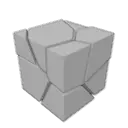
A simple plugin to allow the easy creation and use of destructible objects inside of Godot. Converts a shard mesh into a Node of mesh instances and custom generated collisions shapes, with each shard having its own rigid body. The shards can be generated either in game or before hand. Designed to be used in conjunction with Blenders cell fracture (or any other tool which can generate the required shard mesh). Further clarified in the README.