
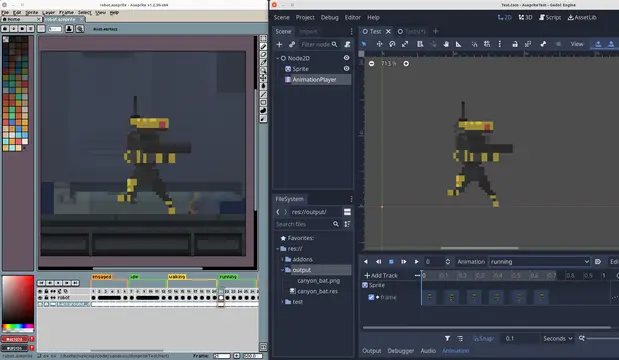

Import Aseprite animations to AnimationPlayers, AnimatedSprites2D, AnimatedSprite3D and SpriteFrames.Features:- Generate sprite sheet and import animations to AnimationPlayer, AnimatedSprite, AnimatedSprite3D or SpriteFrames resource.- Adds Inspector docks for easy import and re-import.- Filters out layers you don't want in the final animation, using regex.- Supports slices. Import only a region from your file./- Supports Aseprite animation direction (forward, reverse, ping-pong).- Supports loopable and non-loopable animations.- Separates each Aseprite Tag into animations. In case no tags are defined, imports everything as default animation.- AnimatedSprite - Creates SpriteFrames with Atlas Texture to be used in AnimatedSprites. - Converts Aseprite frame duration (defined in milliseconds) to Godot's animation FPS. This way you can create your animation with the right timing in Aseprite, and it should work the same way in Godot. - Choose to export the Aseprite file as a single SpriteFrames resource, or separate each layer in different resources. - Adds Aseprite file importer to Godot (check limitations section).- AnimationPlayer - Adds and removes animation tracks without removing other existing tracks. - You are free to import multiple files to the same AnimationPlayer or import each layer to their own Sprite and AnimationPlayer.Aseprite Wizard is only required during development. If you decide to not use it anymore, you can remove the plugin and all animations previously imported should keep working as expected.
TileMap Data Exporter/Importer
An asset by heppocogne
Quick Information

TileMap Data Exporter/Importer
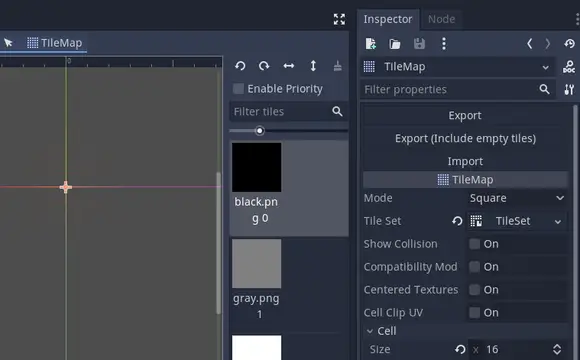
This addon adds Import/Export buttons to TileMap's editor inspector. You can export TileMapData as resource file and import them.This addon is useful when you want to copy chunk of tiles or you need to place tiles dynamically.GDScript Example:var tiles=load("res://map/objects/small_house.tres")tiles.place_on_tilemap(tilemap,house_position,override_flag)
Supported Engine Version
3.5
Version String
1.0.1
Support Level
community
Modified Date
3 years ago
Git URL
Issue URL
TilemapDataExporter
Godot addon to export TimeMap data to resource file

Descriptions
This addon adds Import/Export buttons to TileMap's editor inspector. You can export TileMapData as resource file and import them.
This addon is useful when you want to copy chunk of tiles or you need to place tiles dynamically.
Usage (how to place tiles from code)
var tiles=load("res://map/objects/small_house.tres")
tiles.place_on_tilemap(tilemap,house_position,override_flag)
This addon adds Import/Export buttons to TileMap's editor inspector. You can export TileMapData as resource file and import them. This addon is useful when you want to copy chunk of tiles or you need to place tiles dynamically. GDScript Example: var tiles=load("res://map/objects/small_house.tres") tiles.place_on_tilemap(tilemap,house_position,override_flag)
Reviews
0 total reviews
Quick Information
TileMap Data Exporter/Importer
This addon adds Import/Export buttons to TileMap's editor inspector. You can export TileMapData as resource file and import them.This addon is useful when you want to copy chunk of tiles or you need to place tiles dynamically.GDScript Example:var tiles=load("res://map/objects/small_house.tres")tiles.place_on_tilemap(tilemap,house_position,override_flag)
Supported Engine Version
3.5
Version String
1.0.1
Support Level
community
Modified Date
3 years ago
Git URL
Issue URL
Related Assets
More in 2D Tools

Renders Latex in Godot Mono! Usage Instructions:1.Create a Godot Mono project and build a C#-script.2. Install from the Godot Asset Store from inside the Engine or by cloning. When including in an existing project, you won't need the *.godot and *.sln.3. The add-on depends on CSharpMath.SkiaSharp, licensed under MIT, as a nuget package. You to integrate this into your existing Godot Mono project by copying the <ItemGroup>-tags into your project's .csproj-file from GodoTeX.csproj.4. Enable the addon in the settings, as usual. You can now create a LaTeX node and start your math excapades!
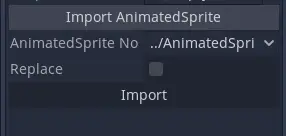

A basic plugin to automatically import all frames from an AnimatedSprite as animations in an AnimationPlayer, with the appropriate FPS. It adds a section under AnimationPlayer's inspector to import frames from AnimatedSprites in the scene.
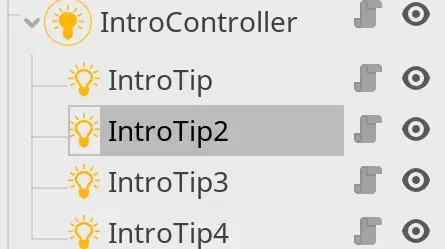

easy to use add-on for creating tutorials and introduction section inside Godot scenes.Create an IntroController, and set its name/theme (for label and buttons). Then add IntroTip nodes to it as children. set highlighted area for your tip using Godot's native polygon tool, give it a tip text, and then start the intro by calling start() on Introcontroller.