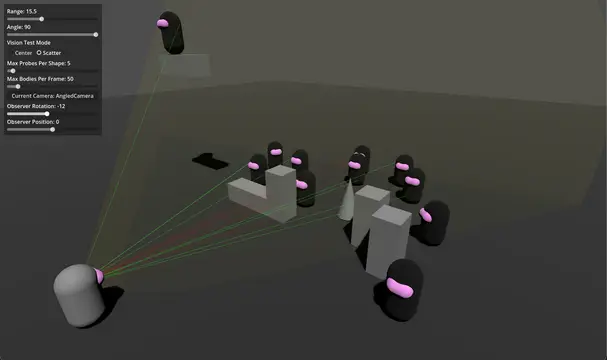
Adds the VisionCone3D node, which tracks whether or not objects within its cone shape can be "seen". This can be used to let objects in your game "see" multiple objects efficiently. Default configuration should work for most use-cases out of the box but several performance tuning options are available. Shape can be edited in the scene view with gizmos and drawing debug information can be toggled on.See GitHub for 4.3 compatible version.
imposter plugin for godot 4.xHelp you create an imposter scene
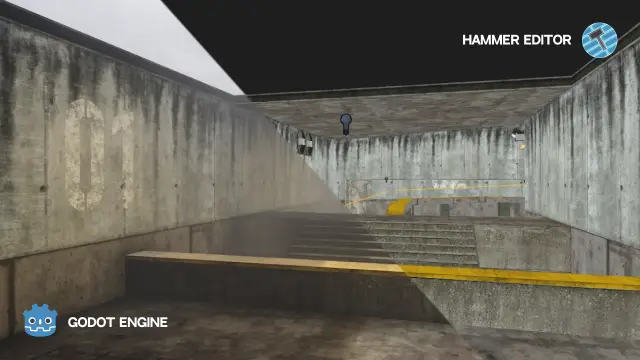
An importer of VMF files into Godot. Useful instrument for people who used to work with Hammer and finds it most comfortable tool for level geometry creation.Features:- Brushes geometry import- Instances support- Native MDL support- Native VMT support- Native VTF support (only DXT1, DXT3, DXT5 supported)- Displacements import (with vertex data)- Entities support- Hammer's Input/Output system support- Surface props support- Material's compile properties support- FGD generator
Create basic rooms for your 3D by controlling some parameters and speeding up the process of integrating single rooms into your world
This package provides flying/swimming navigation in free 3D space. It builds a Sparse Voxel Octree representing the solid/empty state, and then applies Greedy A* algorithm for path finding.Currently in development. Please see README.md for a more detailed list of features and limitations, as well as how to use.
Provides nodes for aerodynamic simulation.Enable plugin in project settings Project > Project Settings > PluginsAdd an AeroBody3D to your scene, and add one or more AeroInfluencer3D derived classes as children, adjust settings to change the characteristics.Development Direction:- Usability, stability, and performance.- More AeroInfluencer3D derived nodes (Dynamic rotor systems, primitive shapes, fuselages).- Aerofoil profiles for AeroSurfaces.- Energy–maneuverability graphs and aircraft performance profiling.
This will allow you to create massive terrain, for open world games.This plugin is written in c++ in GDExtensionTerrain is divided into different region and the height map texture for region far away from terrain has lower resolution so take less space in VRAMThis also support grass system which you can use that for grass, or rock, Also grass system support collision which let you to create massive forest of tree with collision really fast (Grass is also Paintable)You can also bake navigation mesh from terrain (navigation mesh is also Paintable)Supporting sculpt brushSupport Height-map non destructible layersSupporting HolesSupporting WaterSupporting Color brush with different algorithm like Splat-mapping, Index mapping, bit-wise brush ...------------------------------------------------This release:Grass Data per instanceThe biggest update for this version is the grass data custom which you can send to grass! You can send these data to each instance of grass:You can send some random number unique for each grass instance, you can control this random number!You can send any image which you used in Terrain to grass, only a single color value depend on the position of the grass on terrain will be sended to grassYou can also send the grass creation time which you can calculate the age of grass and create a growing effect for grassThis update is not about grass data there are more features and bug fixesOther changesNow if you add an image in terrain data and you do not declare that in terrain Shader, that image will remain only on RAM memory, and you can read from that and use that in various things! (One use of that is to send that data to grass)Optimizing grass update in run-timeFixing the color paint issueThis time the color which you paint will appear in the background of each layer in paint panel (only for color-brush and channel-painter)Detecting OpenGL or compatibility mode and changing the Shader code for that so it will work as you start a new-project (If you create a terrain with Vulkan and then change to OpenGL you need to fix the Shader code by yourself as some Shader code which works for Vulkan does not work for OpenGL)In this release we have a road system! but it is just a start!
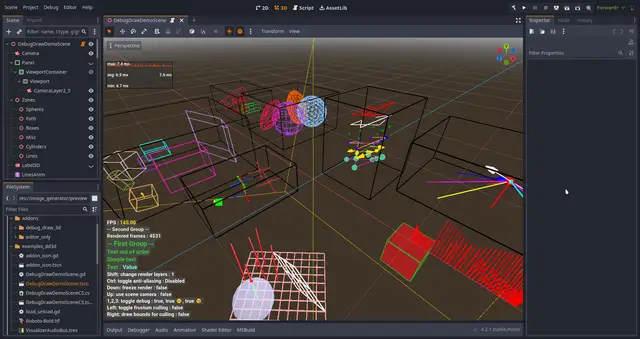
This is an add-on for debug drawing in 3D and for some 2D overlays, which is written in C++ and can be used with GDScript, C++ or C#.= Features =3D:* Arrow* Billboard opaque square* Box* Camera Frustum* Capsule* Cylinder* Gizmo* Grid* Line* Line Path* Line with Arrow* Plane* Points* Position 3D (3 crossing axes)* Sphere* 3D TextOverlay:* Text (with grouping and coloring)Precompiled for:* Windows* Linux (built on Ubuntu 22.04)* macOS (10.15+)* Android (5.0+)* iOS* Web (Firefox is supported by Godot 4.3+)This addon supports working with several World3D and different Viewports.There is also a no depth test mode and other settings that can be changed for each instance.This library supports double-precision builds, for more information, see the Documentation -> Double Precision.= Examples and documentation =During installation, you can unpack the "examples_dd3d" folder and examine its contents or go to the online documentation via 'Project - Tools - Debug Draw - Open the Documentation'. A list of all functions is available in the documentation inside the editor.!! Restart the editor after installation! !!
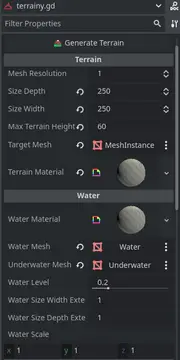
Quickly create natural-looking terrain with customizable noise parameters. This tool is designed to create simple but powerful terrains that do not require manual painting
This is the Godot 4 port of the Godot XR Tools library.This library contains a collection of handy components to quickly get started with XR projects.Documentation is provided here:https://godotvr.github.io/godot-xr-tools/
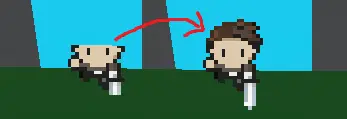
SpriteMesh is a plugin for Godot that allows you to create 3D meshes based on a 2D sprite.
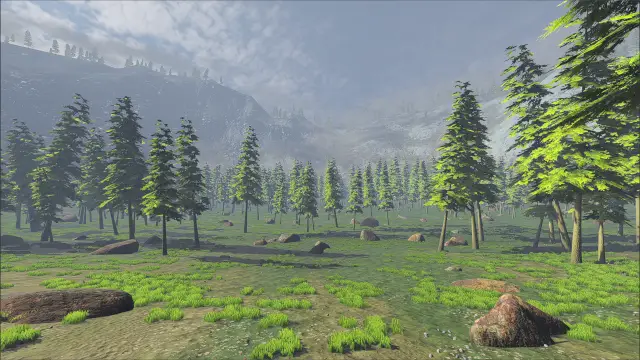
Generates heightmap terrain around a player position. New terrain chunks are loaded on a thread when the player moves.