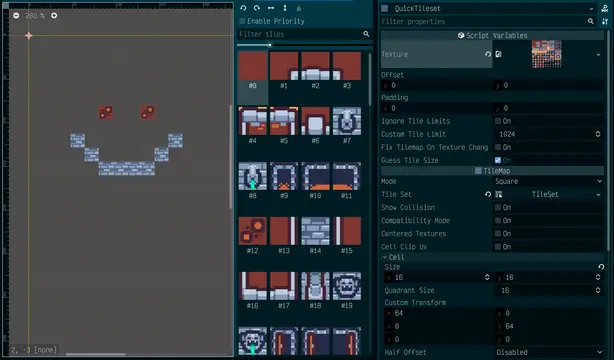
A script for quickly and easily creating complete Godot TileSets without the hours of endless clicking.Great for prototyping, testing out variated tile sets, or simply mass importing large numbers of static tiles.A simplified version is available as a gist: https://gist.github.com/bluematt/72f1e56609c388e30d9c3d7395195802
Filtering bad words for your game.Can be useful for:Filtering bad words before that goes into leaderboard usernames.functions:is_word_ok(word) -> returns a bool (false if the word contains bad word, true if it is safe)
GodotPhoenixChannels is a GDScript and Godot Engine implementation for the Channels API of the Phoenix Framework. It enables Godot projects and games to connect to Phoenix Channels to leverage the connected massive real-time capabilities of Elixir and Phoenix backends.This is the client for Godot 3+.
This plugin simulates a user writing a script. It is made for the purpose of making video tutorials.If you spend any amount of time with notepad open in one window and Godot in another — copy/pasting or typing out some script while you are recording — this plugin is for you.
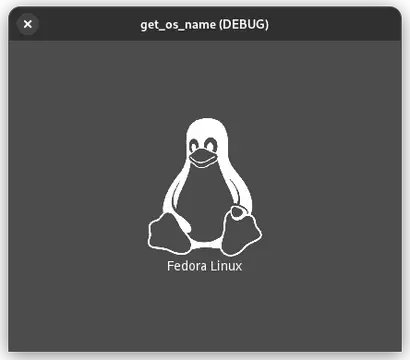
Get a more specifically OS name (for Godot Game Engine v3.x).Uses "uname -a" to get *nix name. If Linux, search for distro name inside "/etc/os-release"Also ships with OS icons as 500x500px white png.Usage:`Get_os_name.os_name(getdistro:bool=true, gds4:bool=false)`Which returns the name as a string. If getdistro is false will not search for Linux distro name. If gds4 is true, will convert Godot 3.x os.get_name() to Godot 4.x equivalent.`Get_os_name.os_logo(name:String="")`Which return path to logo as a string. If no name provided as arg, will use os_name() to retrieve it.
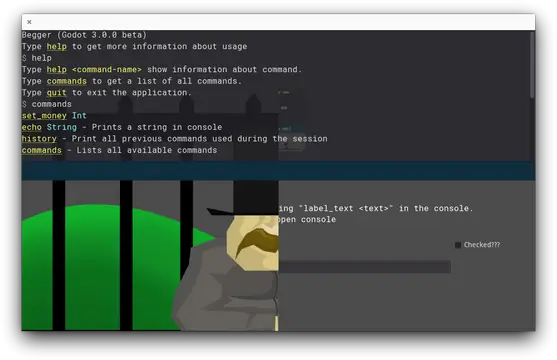
In-game console for Godot, easily extensible with new commands.I'll try to keep project on this website up-to-date with its sources. If you have any problems with this project please try downloading more up-to-date version from github (https://github.com/quentincaffeino/godot-console/archive/master.zip). If problem persists do not hesitate to contact me on GitHub via Issues or QuentinCaffeino#9674 on DiscordProject website: https://github.com/quentincaffeino/godot-console
A C# implementation of the PlatformerController2D found in the AssetStore for Godot >=3.5 .Ported from Evan Barac's Godot 4.0 GD version (https://github.com/Ev01/PlatformerController2D)Original description:This is a platformer class with many tweakable settings which can be used to control a 2D character (think supermario 1).## Features- Double jump- Coyote time- Jump buffer- Hold jump to go higher- Defining jump height and duration (as opposed to setting gravity and jump velocity)- Asymetrical jumps (falling faster than rising)(More information at the README.md file)
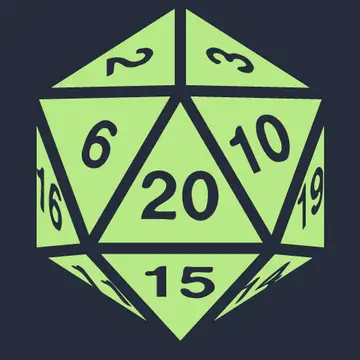
Functions for supporting a dice rolling syntax (eg "4d6d1!"). Allows for dice rolls and probability calculations. The syntax supports dropping high/low rolls, exploding/compounding dice, and rerolls. See https://github.com/oganm/dice_syntax_gd/tree/godot3 for a documentation.
Embeddable Software MIDI Player for Godot Engine 3.4 and later.2.7.0 update:* Fixed velocity layered soundfont* Implemented stereo samples * Added load_from_bytesThanks to Laurent Veliscek!2.6.2 update:* Fixed text event parse bug2.6.1 update:* replace deep_equal to == for Godot 3.4(s)* fixed bug for GS/XG resets.2.6.0 update:* Refactoring code* Fixed silence seconds* Make faster with MIDI system messages for resets* Added code for reuse AudioBus2.5.5 update:* Fixed double displaying in Node list.2.5.4 update:* Refactoring source codes* Some changes smf/sf2 file reading APIs.2.5.3 update:* No use when running on debug build.2.5.2 update:* Added no_thread_mode for HTML5 env.2.5.1 update:* Fix crash when hot reload in the debug mode by save on the editor.2.5.0 update:* Use thread for sequence playing.Features:* 100% pure GDScript* Play Standard MIDI File format 0 and format 1 with SoundFont.* Emit signals on some MIDI events (changes tempo, lyrics, markers or something).* Receive raw midi messages* You can play procedural generate MIDI sequences.Demo:https://bitbucket.org/arlez80/godot-midi-player/downloads/demo.zipRepository:https://bitbucket.org/arlez80/godot-midi-player/Wiki:https://bitbucket.org/arlez80/godot-midi-player/wiki/
Godot Touch Input Manager (GDTIM) is an asset that improves touch input support (includes new gestures) in the Godot game engine. You just need to autoload a script and it will start analyzing the touch input. When a gesture is detected a Custom Input Event corresponding to the detected gesture will be created and fed up to the Godot built in Input Event system so it triggers functions like _input(InputEvent event). There is also a signal for each gesture if you prefer using signals to the aforementioned.
This is not an official LaunchDarkly product. This is a personal project.LaunchDarkly is a feature management platform that helps teams control and deliver better software, faster.This LaunchDarkly Client-Side SDK for Godot is designed primarily for use by code that is deployed to an end user, such as in a desktop application or a smart device. It follows the client-side LaunchDarkly model for single-user contexts (much like their mobile or JavaScript SDKs). It is not intended for use in multi-user systems such as web servers and applications.

This asset provides a 3d camera that can me controlled from a touch screen interface.