


Quake .map file support for Godot.Qodot extends the Godot editor to import Quake .map files, and provides a data-driven framework for converting the entities and brushes contained therein into a custom node hierarchy.
CADLikeOrbit_Camera
An asset by TWew
Quick Information

CADLikeOrbit_Camera
A Camera wich behaves like most Cameras in CAD-Softwares. It uses the mouse and lets you Orbit,Zoom and Pan around. Usage:1. Activate Plugin2. Add CADLike-Orbit Camera via new Node (Control+A) to the Scene3. Define InputMap-Actions (Project->Poject Settings->InputMap)example InputMap-Actions:Name: "Zooming", Event: Righ ButtonName "Panning", Event: Middle ButtonName: "Rotating", Event Left Button---------------------------------------------------------------------To determine the Focalpoint a RayCast-Node is used.Has the RayCast no Collision (Mouse is not ona Pickable Object), Pre-Defined Uservalues are used. To Keep one Mousebutton unused the Combination of thePan- and Zoom-Action can be used to trigger the Rotate Action.
Supported Engine Version
3.1
Version String
1.0
Support Level
community
Modified Date
6 years ago
Git URL
Issue URL
Godot CADLikeOrbit_Camera
A Camera wich behaves like most Cameras in CAD-Softwares. It uses the mouse and lets you Orbit, Zoom and Pan around.
Usage:
1. Activate Plugin
2. Add CADLike-Orbit Camera via new Node (Control+A)  to the Scene
3. Define InputMap-Actions: (Project->Poject Settings->InputMap)
        example InputMap-Actions:
            Name: "Zooming", Event: Righ Button
            Name "Panning", Event: Middle Button
            Name: "Rotating", Event Left Button
To determine the Focalpoint a RayCast-Node is used. Has the RayCast no Collision (Mouse is not on a Pickable Object), Pre-Defined Uservalues are used.
To Keep one Mousebutton unused the Combination of the Pan- and Zoom-Action can be used to trigger the Rotate Action.
A Camera wich behaves like most Cameras in CAD-Softwares. It uses the mouse and lets you Orbit, Zoom and Pan around. Usage: 1. Activate Plugin 2. Add CADLike-Orbit Camera via new Node (Control+A) to the Scene 3. Define InputMap-Actions (Project->Poject Settings->InputMap) example InputMap-Actions: Name: "Zooming", Event: Righ Button Name "Panning", Event: Middle Button Name: "Rotating", Event Left Button --------------------------------------------------------------------- To determine the Focalpoint a RayCast-Node is used. Has the RayCast no Collision (Mouse is not on a Pickable Object), Pre-Defined Uservalues are used. To Keep one Mousebutton unused the Combination of the Pan- and Zoom-Action can be used to trigger the Rotate Action.
Reviews
0 total reviews
Quick Information
CADLikeOrbit_Camera
A Camera wich behaves like most Cameras in CAD-Softwares. It uses the mouse and lets you Orbit,Zoom and Pan around. Usage:1. Activate Plugin2. Add CADLike-Orbit Camera via new Node (Control+A) to the Scene3. Define InputMap-Actions (Project->Poject Settings->InputMap)example InputMap-Actions:Name: "Zooming", Event: Righ ButtonName "Panning", Event: Middle ButtonName: "Rotating", Event Left Button---------------------------------------------------------------------To determine the Focalpoint a RayCast-Node is used.Has the RayCast no Collision (Mouse is not ona Pickable Object), Pre-Defined Uservalues are used. To Keep one Mousebutton unused the Combination of thePan- and Zoom-Action can be used to trigger the Rotate Action.
Supported Engine Version
3.1
Version String
1.0
Support Level
community
Modified Date
6 years ago
Git URL
Issue URL
Related Assets
More in 3D Tools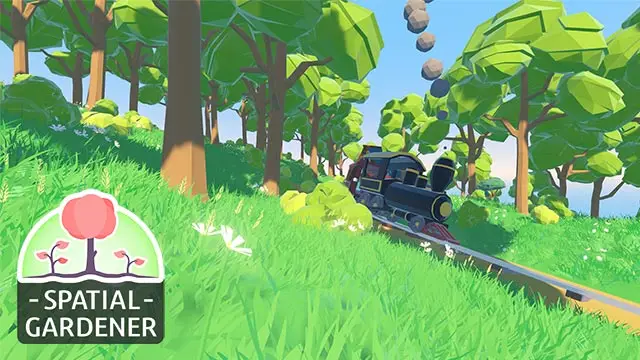

A plugin for painting plants and props on arbitrary 3D surfaces.


In-editor level creator based on voxels. After selecting a block from the panel to the left, you can place and delete blocks in your world. This can be used to make voxel based levels!Controls: < Left Click to place blocks>, <shift+left click to erase blocks>


This plugin adds OpenXR support to Godot.Supports Windows, Linux and QuestWorks best with Godot 3.4