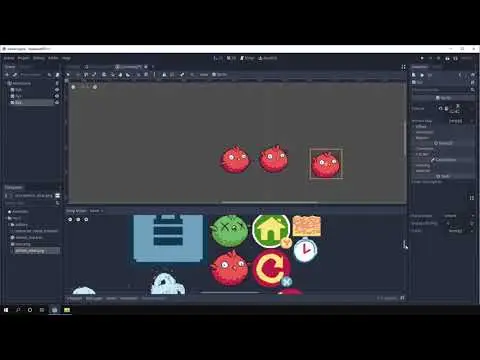
Tool for manually creating .atlastex resources from an atlas
This addon provides two simple APIs for using normal Input Actions, but spread out across a Keyboard player and up to 8 Joypad players. This addon handles multiple devices automatically, so you can keep your InputMap clean and maintainable.
A demo for my scrolling backgrounds tool.
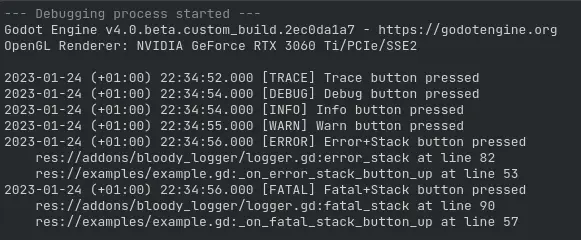
Simple extensible logger for Godot 4.x. Comes with default console writer and error file writer with max log size limitation.
Godot Orbit CameraThis plugin adds an OrbitCamera node in the Godot Editor.Usage:In the Editor 1. Enable OrbitCamera plugin in Project Settings > Plugins 2. Add Node3D node (used for rotating the camera) into current scene 3. Add OrbitCamera as a child of the Node3D node 4. Set Anchor Node property of OrbitCamera to the Node3D nodeControls (Mouse) 1. Hold Left Mouse Button to orbit around the Anchor Node 2. Mouse scroll wheel to change the distance to Anchor NodeControls (Touch) 1. Single touch drag to orbit around the Anchor Node 2. Pinch gesture to change the distance to Anchor Node
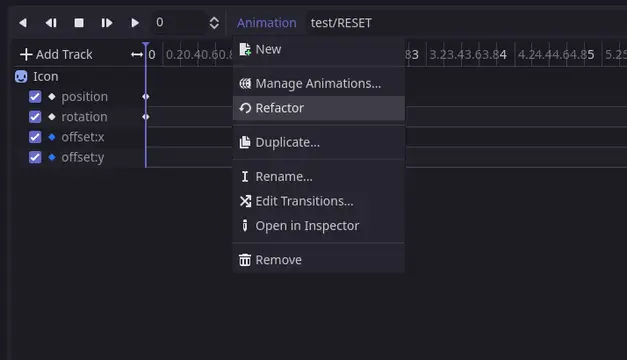
A Godot addon to help refactor animations for the AnimationPlayer.Edit property references, delete tracks, and even change the root node of the Animation Player without breaking all the path references. No need to manually update every single track every time you move or rename a node and properties in the scene.Notes: - This addon only refactors Animations, so deleting or renaming nodes does not affect the actual nodes. It is recommended to move/rename the actual nodes first, and then use the plugin to fix broken animations. - (Important) Please make sure to use proper version control with this addon to prevent losing changes.Logo icon created by Freepik - Flaticon (https://www.flaticon.com/free-icons/refactoring)
Layered Sprite is a Godot tool to easily divide a sprite in layers. It can be used for customizable characters.
Script for generating evenly and randomly distributed points for a given region (rectangular, polygonal or circular) separated by a minimum distance.
Very simple template to use as a starting point for a top-down action RPG. It works with keyboard, touch and gamepad input, and has a character with a few moves, an inventory system and a quest system.I created this for my students as a template for their final exam so everything is implemented in the simplest form possible. Take it as a starting point rather than a solid foundation. Live demo: https://redmagegames.com/elcaballerohueco/
A beautifier for the JSON file format.
A configurable GUI icon that displays either keyboard key or joypad button assigned to the given action. Just activate the plugin and add ActionIcon node anywhere, set action and it will work. Keep in mind that in-editor preview is limited; actions only display when running your project.Use Joypad Mode property to control whether the icon should display the joypad button or keyboard key. If set to Adaptive, it will automatically change after receiving relevant input.Joypad Model can be used to customize the look of controller buttons. Supported are Xbox, DualShock and Joy-Con. Setting it to "Auto" will try to auto-detect the controller type. Default is Xbox.Favor Mouse property will make the icon display mouse button over keyboard if available.Fit Mode property can be used for containers. Use Match Width for HBoxContainer and Match Height for VBoxContainer. If none work, use Custom mode and set minimum size manually.You can use get_tree().call_group("action_icons", "refresh") to refresh all visible icons (in case you change the input bindings etc.)Check the repo for more info and GIFs.